Dieser Artikel ist derzeit auf Englisch verfügbar. Original lesen

Inside the snapshot

Inside the GoHighLevel workflow builder

See the workflow builder up close. These earlier captures document the master account; the current catalog lists 176 saved drafts, including 40 new workflows across ten niche packs.

  • 3 Min. Lesezeit
  • 4-Abschnitte
  • Aktualisiert 14. Oktober 2026
Auf dieser Seite

These earlier captures show the master workflow folders and six builder canvases. For the latest saved workflows and their setup requirements, use the current workflow catalog.

  • Historical folder captures from the master account.
  • A look inside 6 real workflow builder canvases, so you see the actual steps before you import.
  • Free to join: join the community and start GoHighLevel through the partner link.

Build it yourself or import it

A snapshot can transfer a workflow structure into another account. Review its export status, dependencies and test results before using it with real contacts.

These are real screenshots from the master account you get a copy of. Nothing here is a mockup.

Every workflow, folder by folder

The following archive covers 13 folders. Each screenshot shows the folder view at the time it was captured.

01 Speed-to-Lead

Respond to every new lead in seconds.
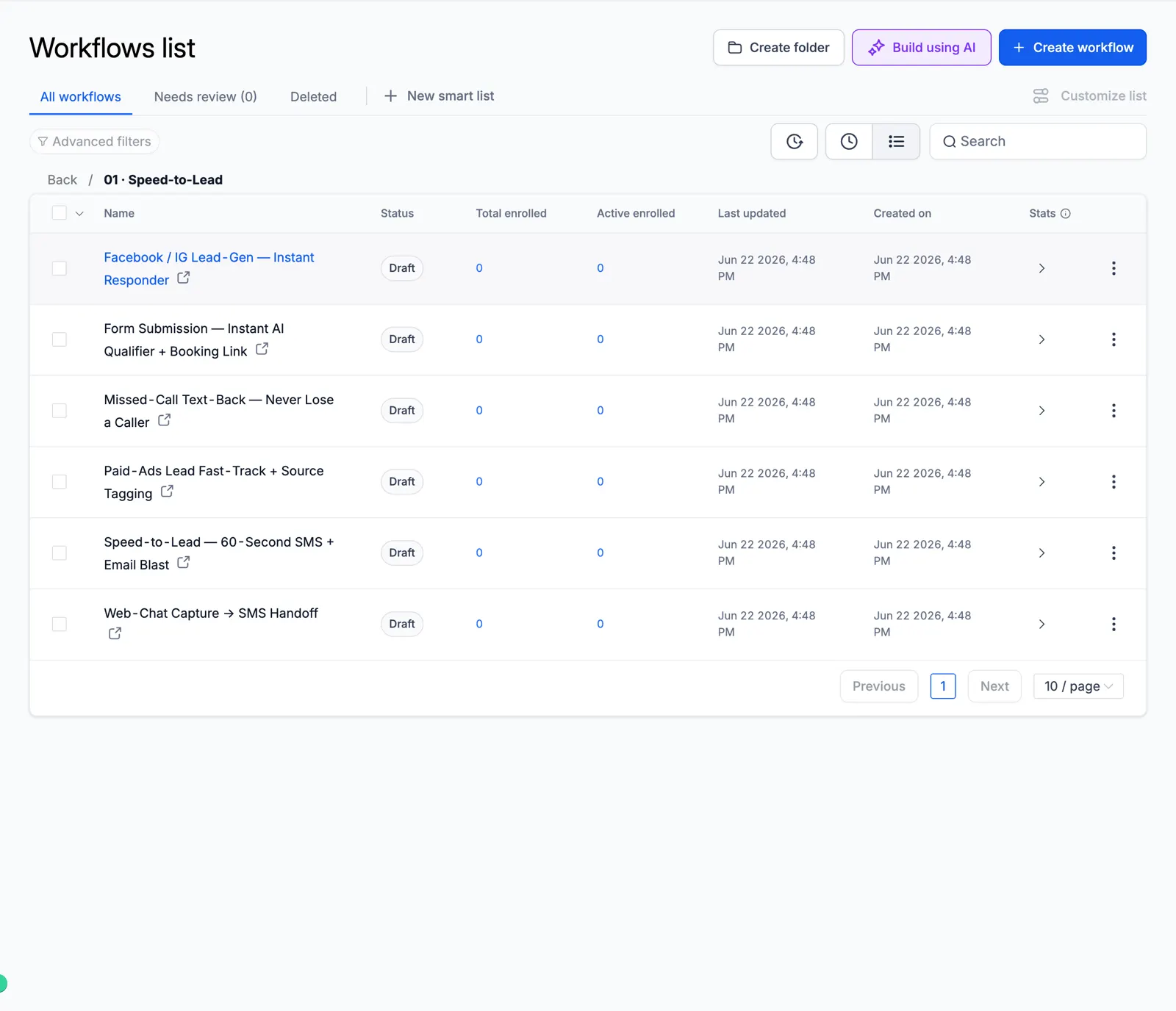
Screenshot of the Speed-to-Lead folder

02 Lead Nurture

Long follow-up that warms cold leads.
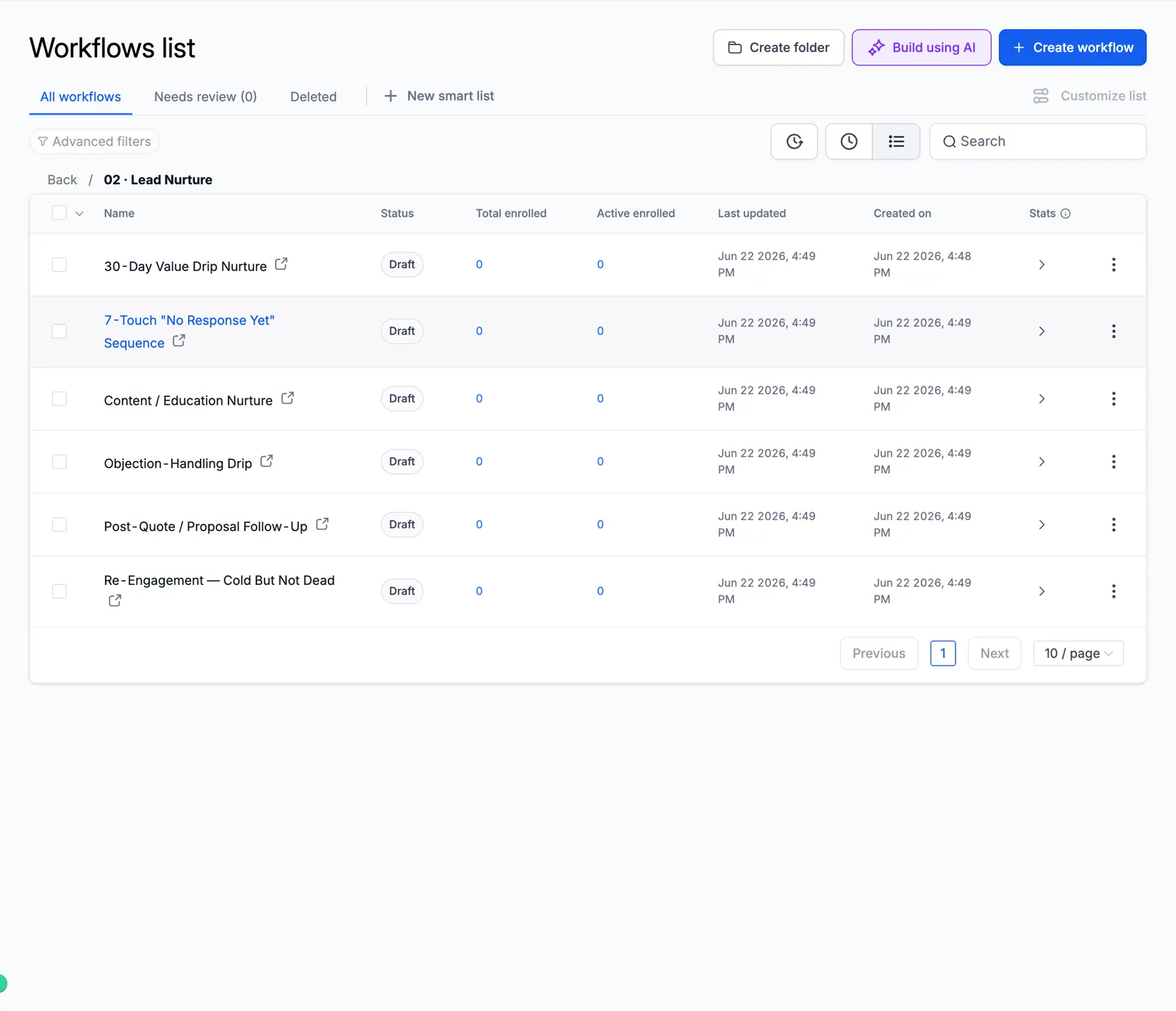
Screenshot of the Lead Nurture folder

03 AI Qualification & Routing

AI scores and routes every lead.
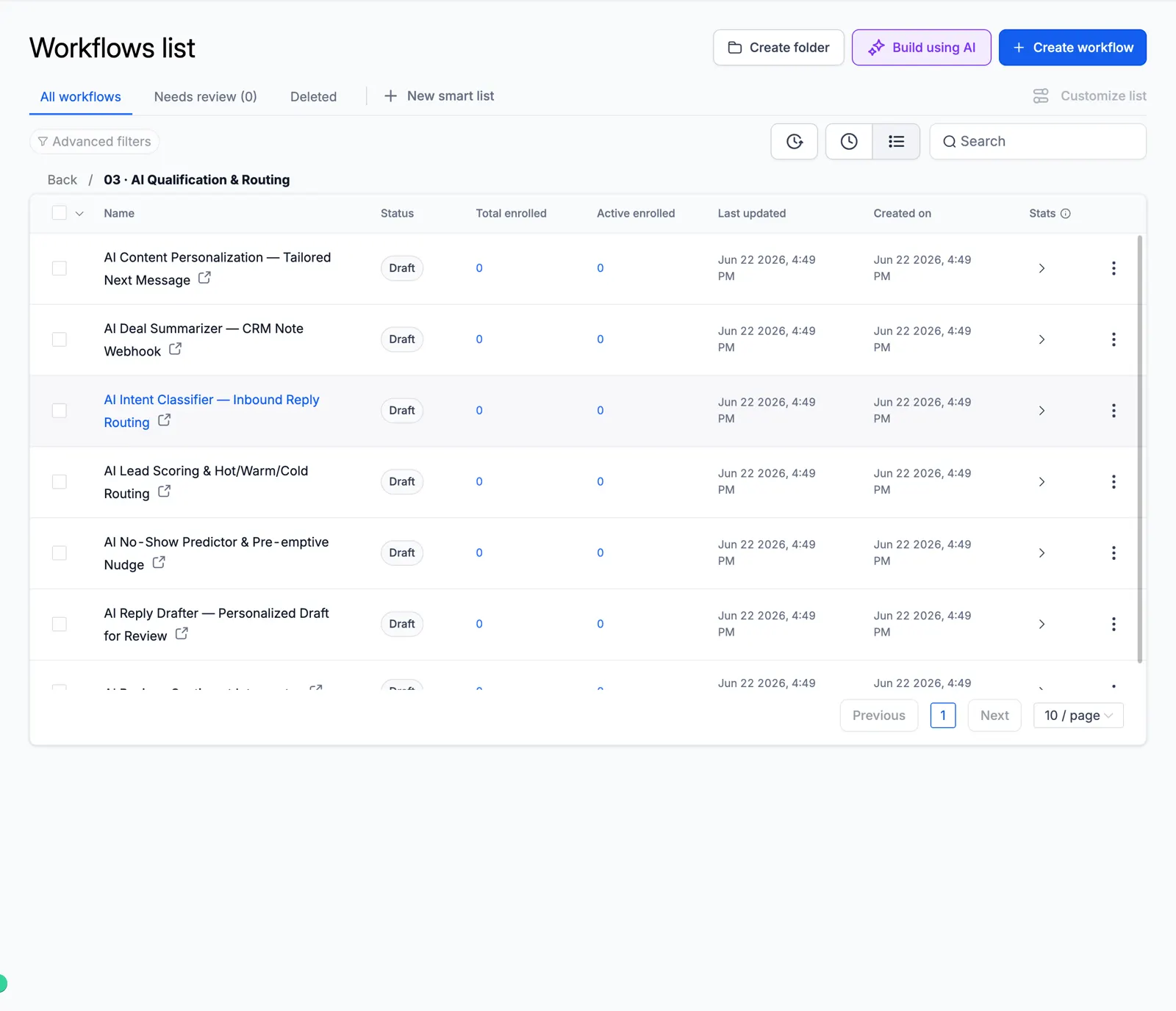
Screenshot of the AI Qualification & Routing folder

04 Appointment & Booking

Booking, reminders, no-show recovery.
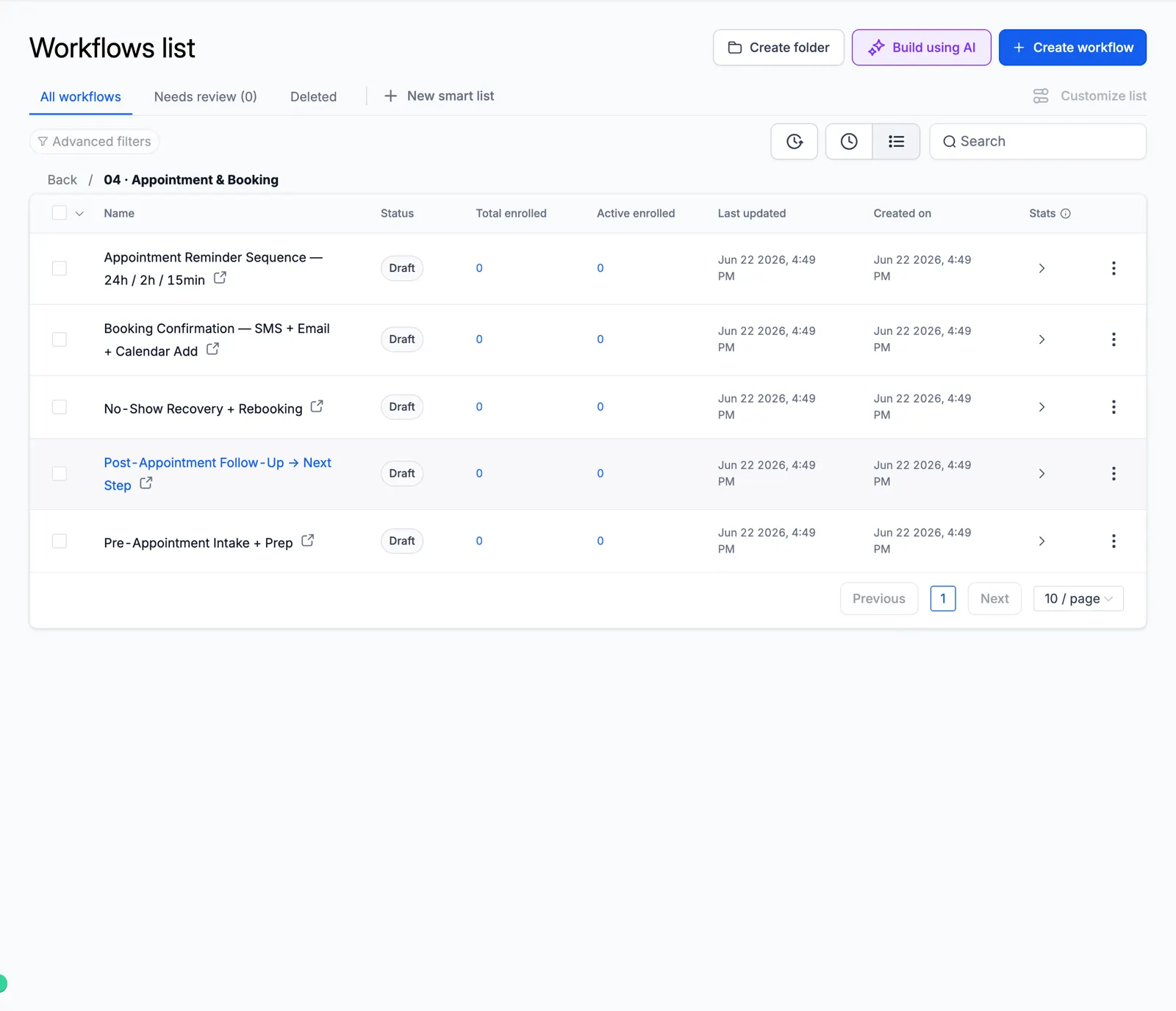
Screenshot of the Appointment & Booking folder

05 Reviews & Reputation

Ask every customer for a review and alert your team to private feedback.
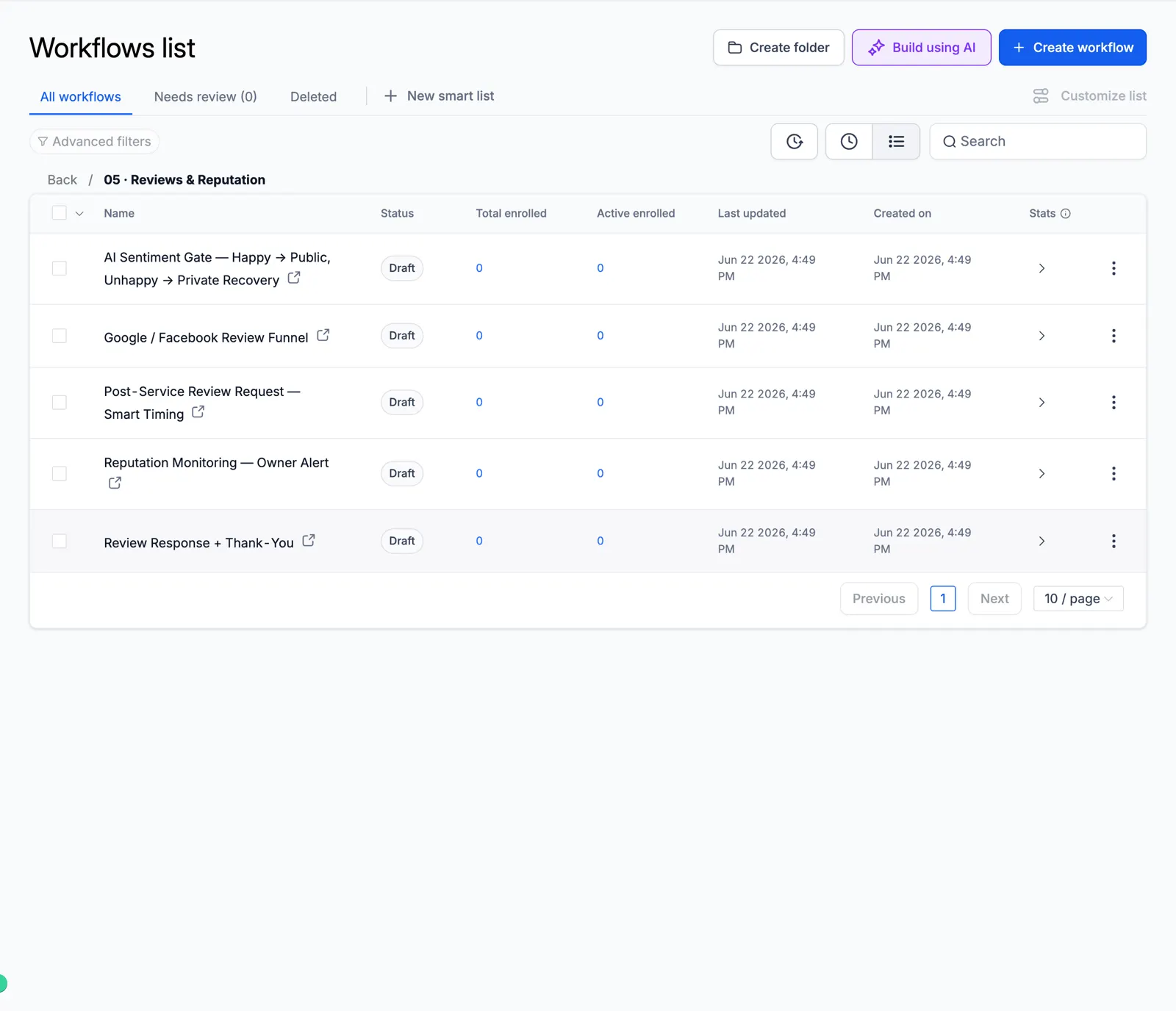
Screenshot of the Reviews & Reputation folder

06 Reactivation & Win-Back

Wake up old leads and lost customers.
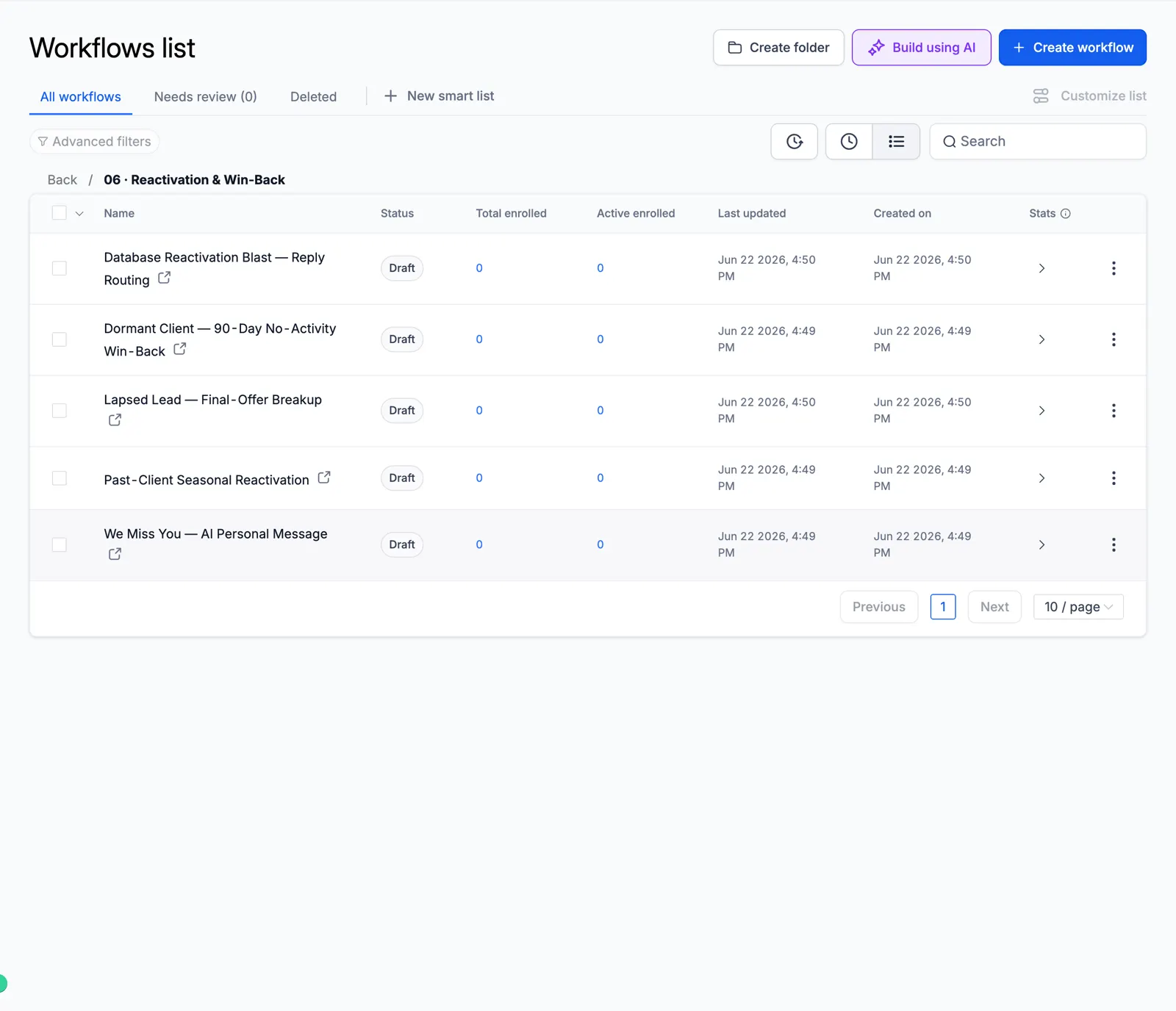
Screenshot of the Reactivation & Win-Back folder

07 Retention & Loyalty

Keep customers coming back.
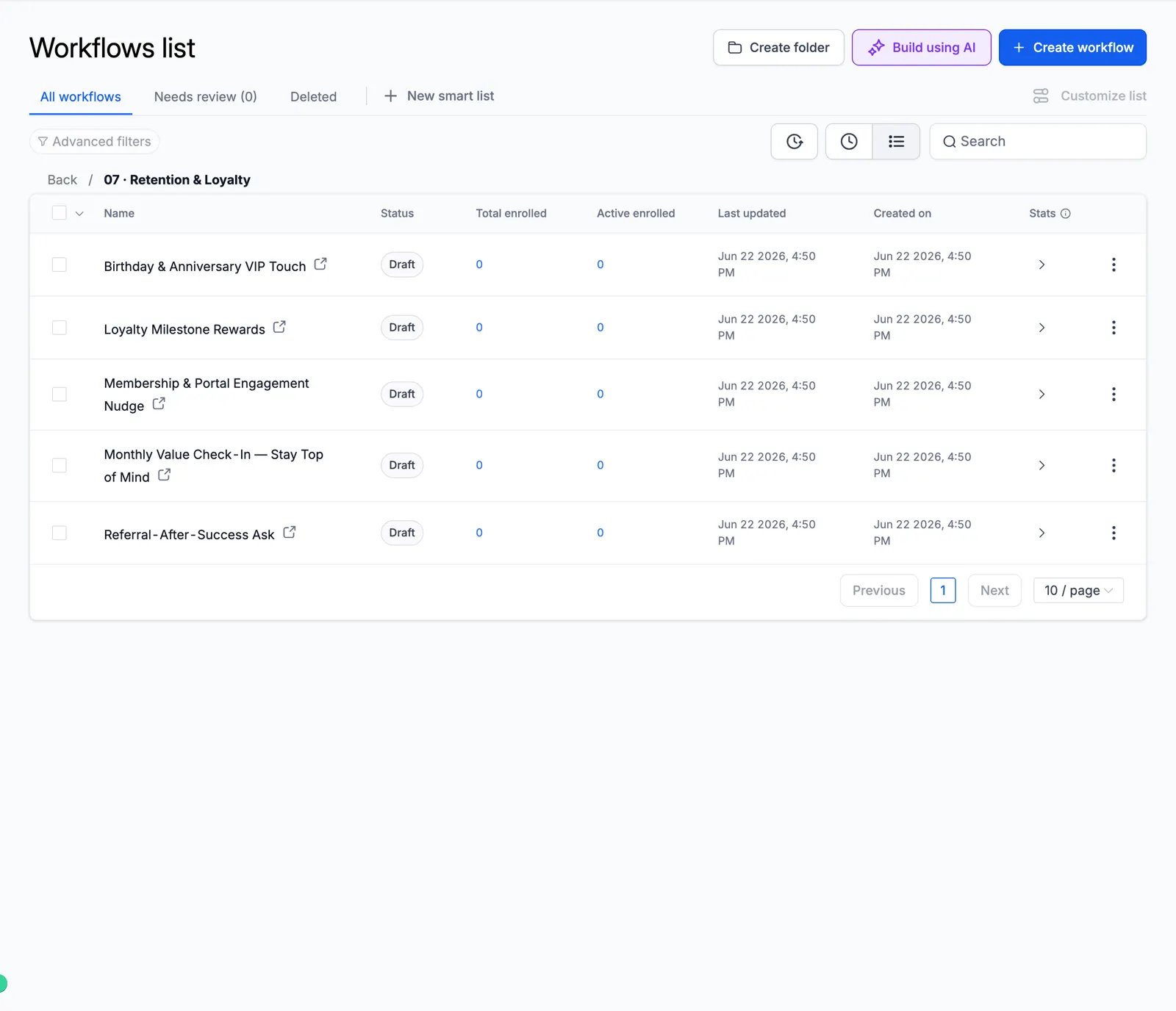
Screenshot of the Retention & Loyalty folder

08 Sales Pipeline

Move deals forward on their own.
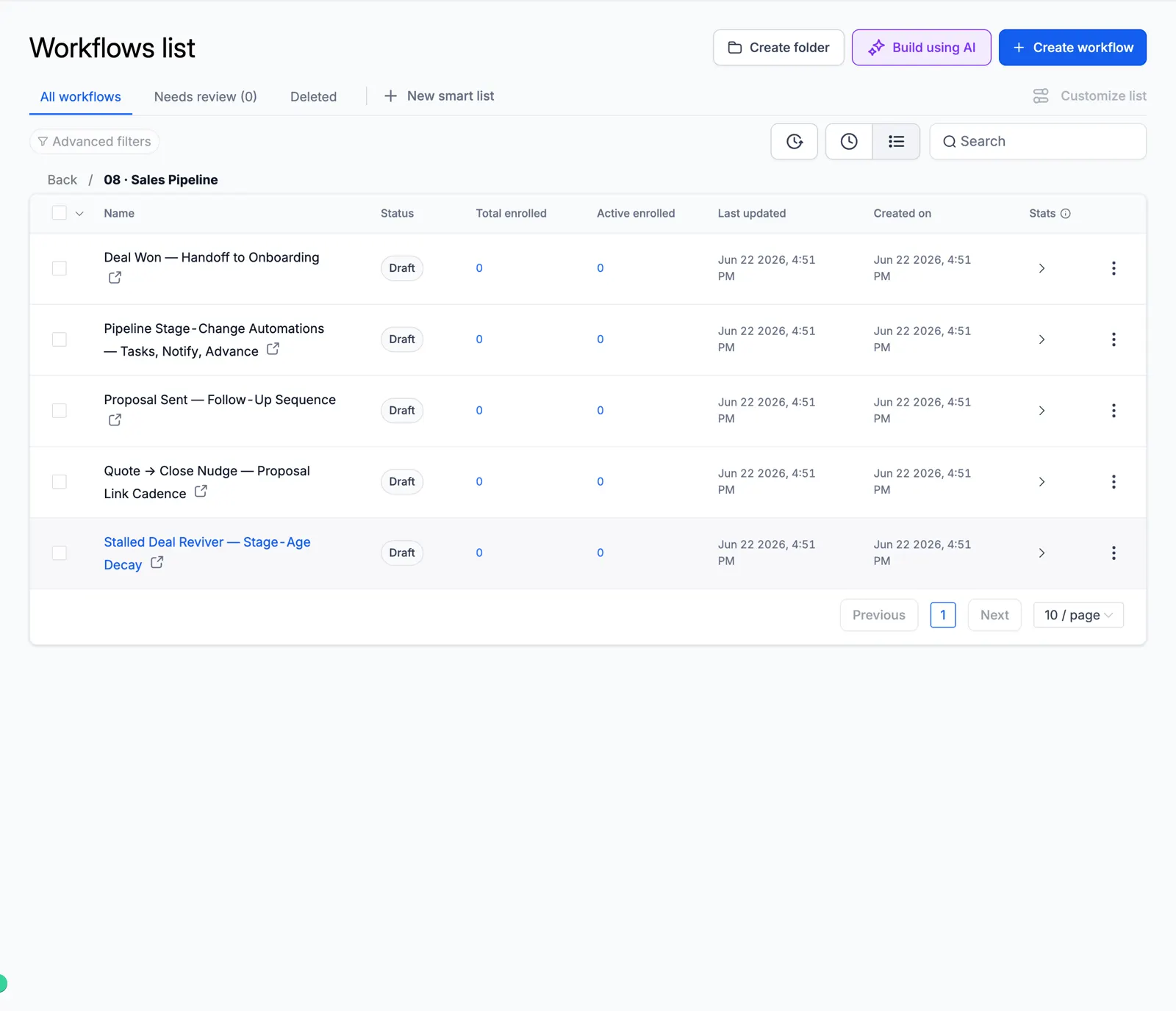
Screenshot of the Sales Pipeline folder

09 Client Onboarding

A smooth first week for new clients.
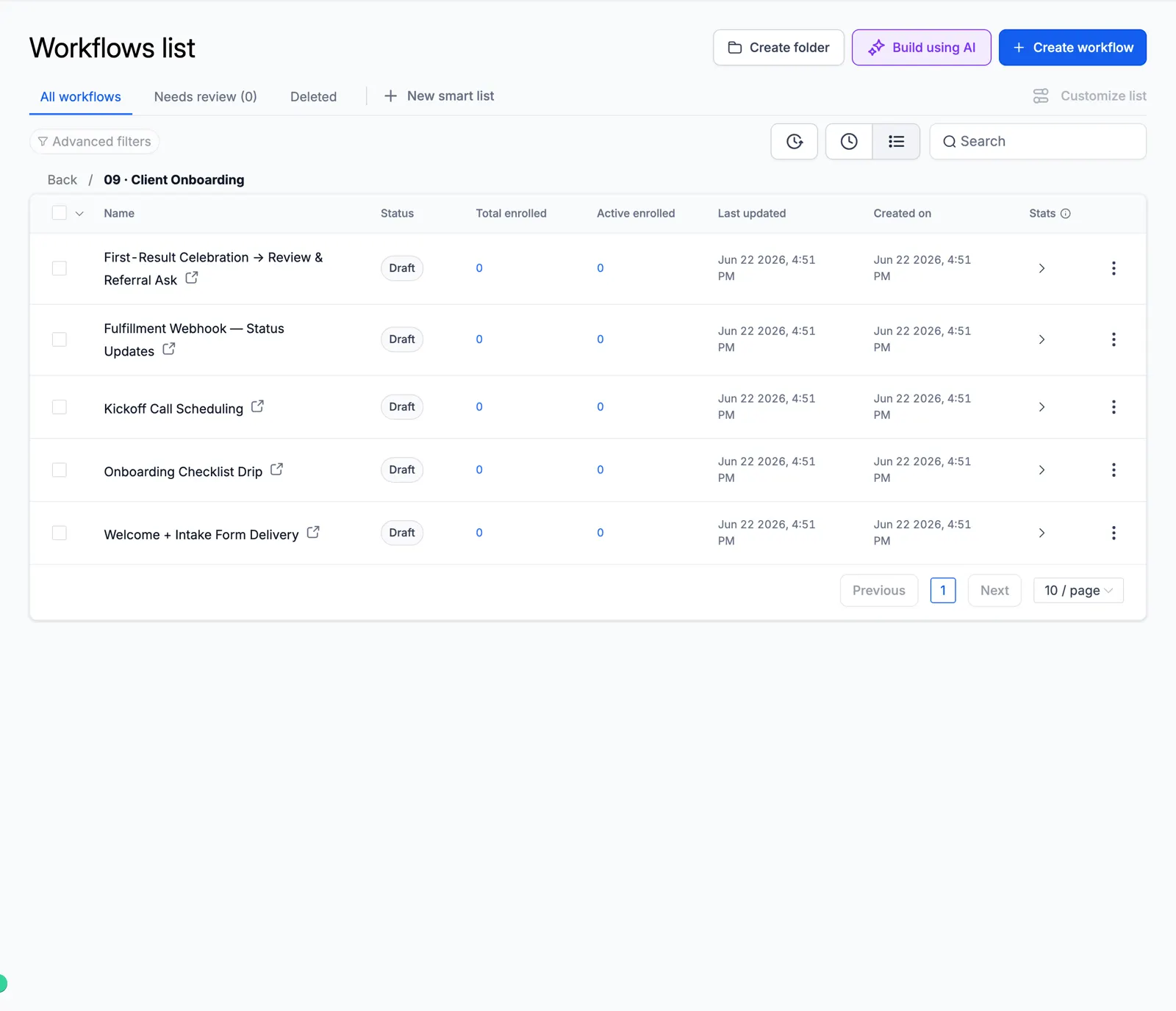
Screenshot of the Client Onboarding folder

10 Cold Outreach Engine

Multi-step cold email and SMS.
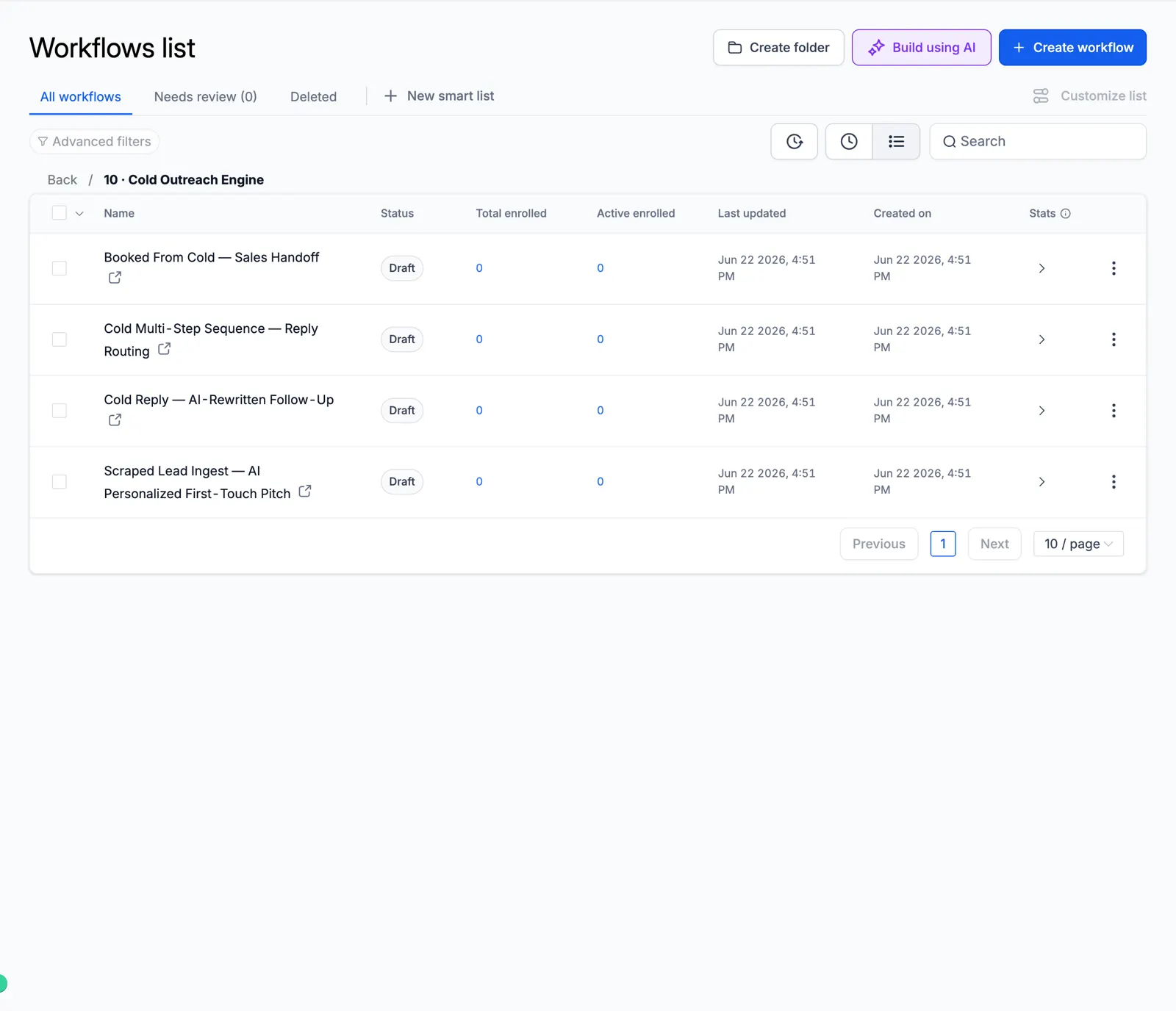
Screenshot of the Cold Outreach Engine folder

11 Referral & Growth

Ask clients for referrals.
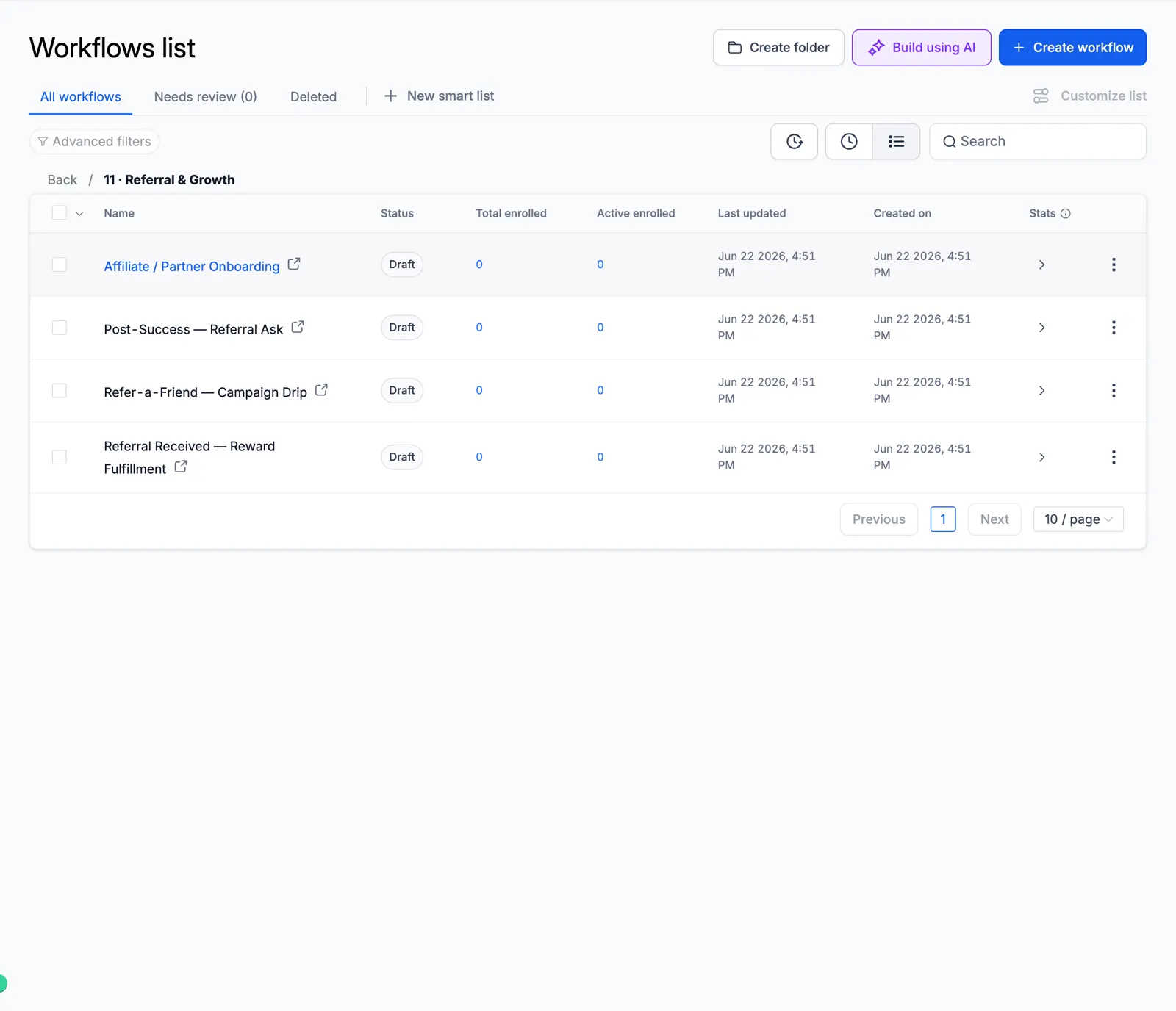
Screenshot of the Referral & Growth folder

12 Revenue Recovery

Failed payments and abandoned carts.
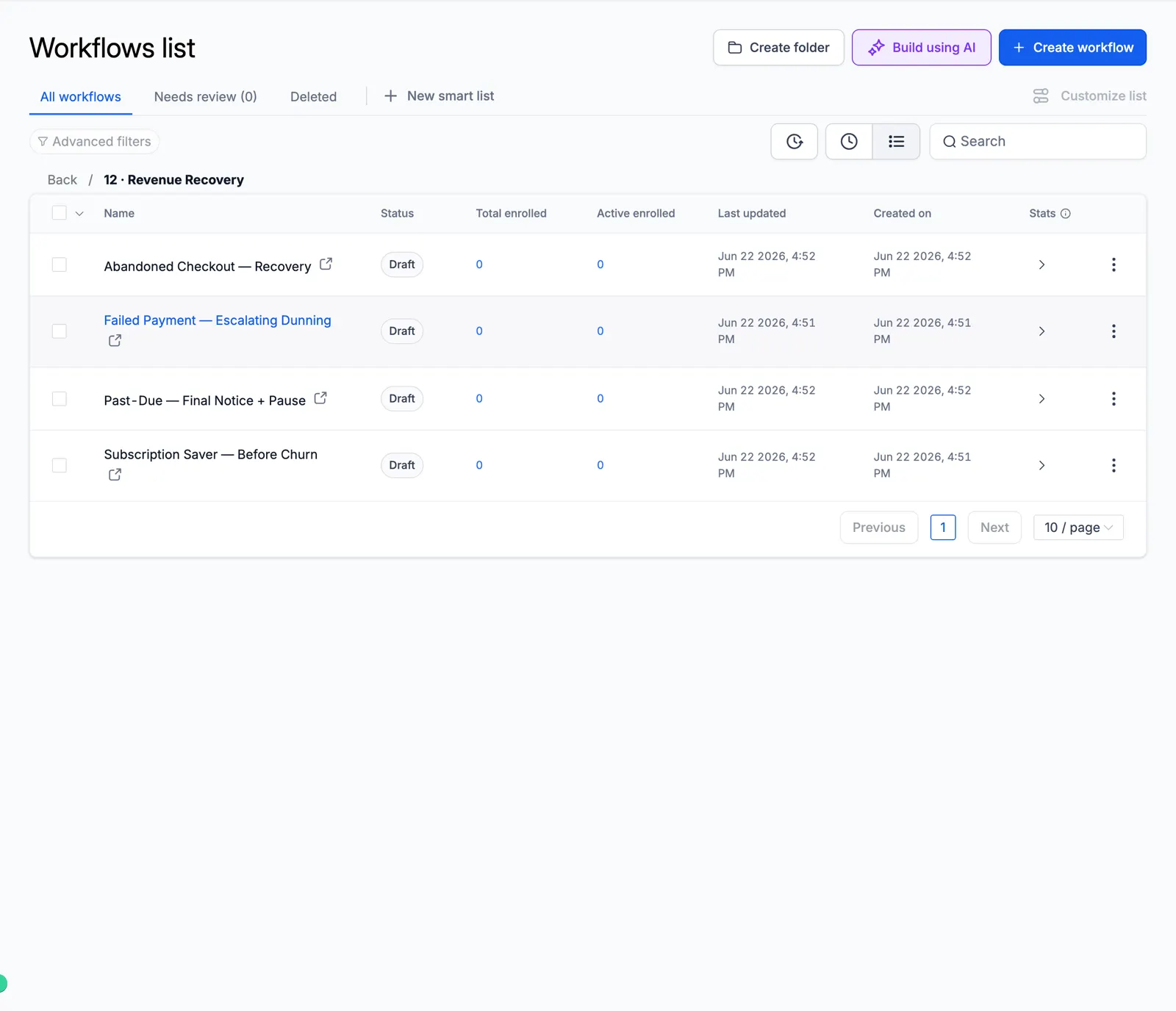
Screenshot of the Revenue Recovery folder

13 Internal Ops

Team alerts, tasks, and daily digests.
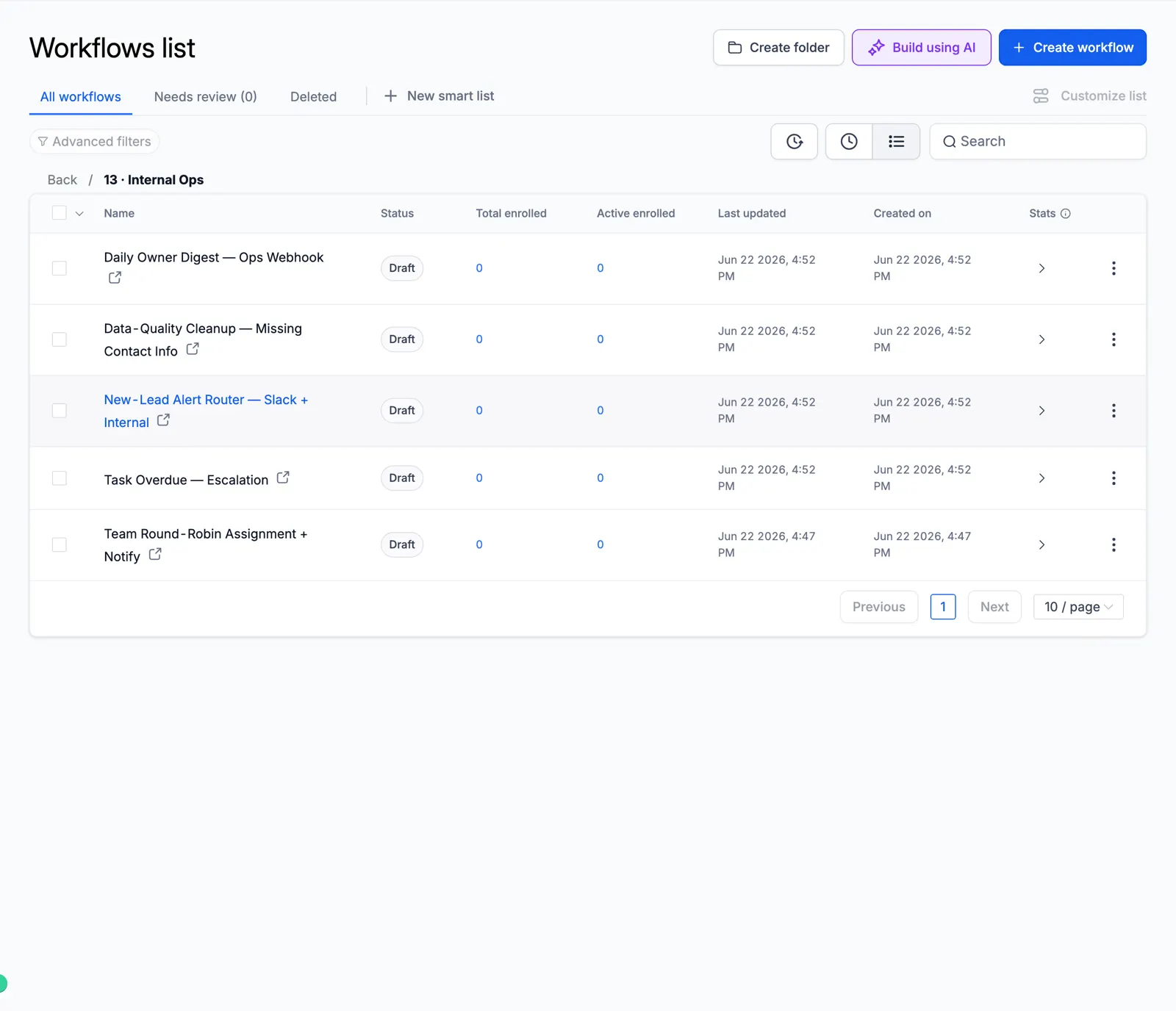
Screenshot of the Internal Ops folder

Look inside the automation

These are real workflow builder canvases from the master account. Each one shows the actual steps, so you can see how the automation runs before you import it.

Missed-Call Text-Back

The moment a call is missed, it tags the caller, sends an instant text back, alerts the rep, waits, and follows up.
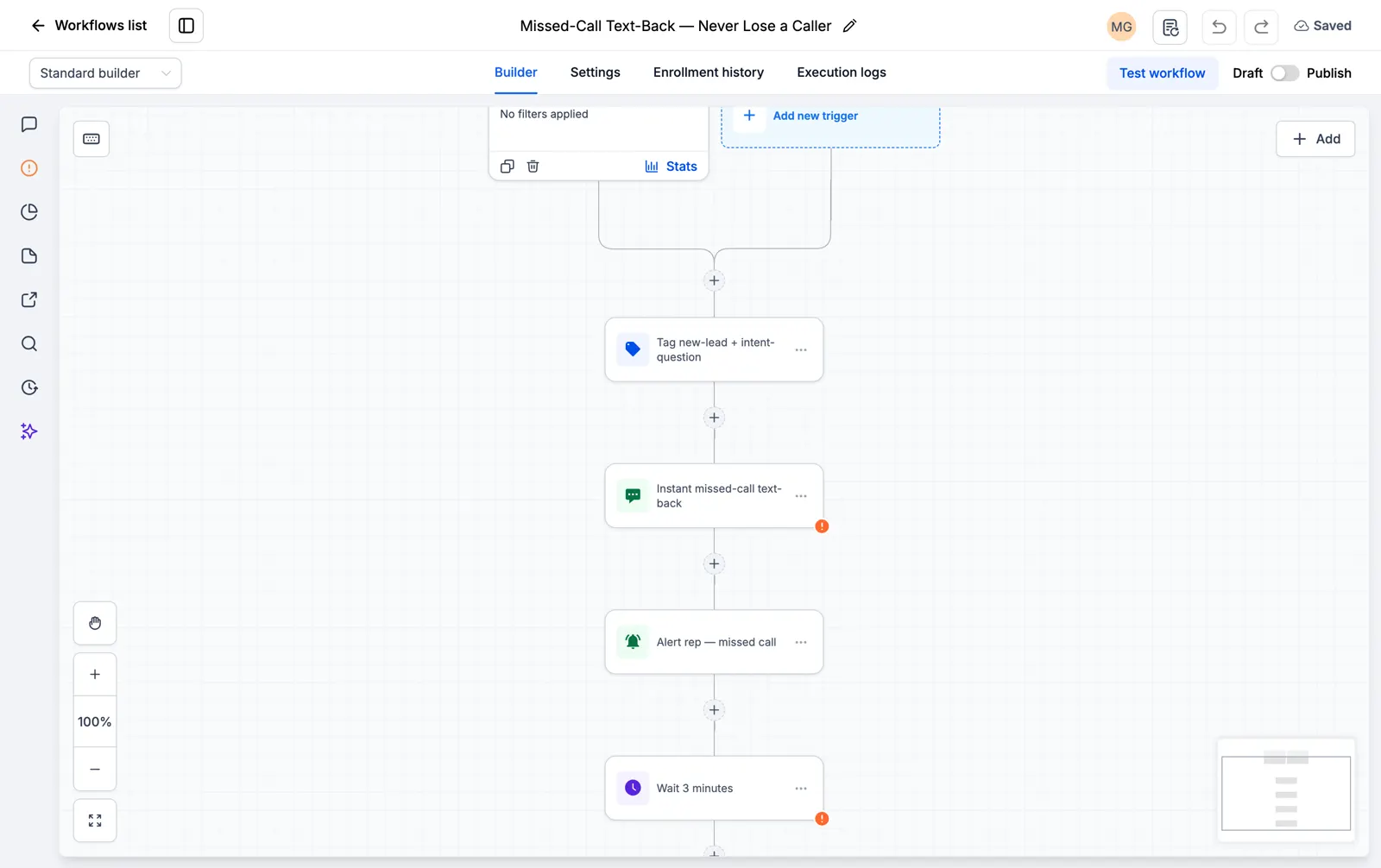
Screenshot of the Missed-Call Text-Back canvas

Facebook and Instagram Lead Instant Responder

The second a lead form comes in, it texts and emails the lead and starts the follow-up.
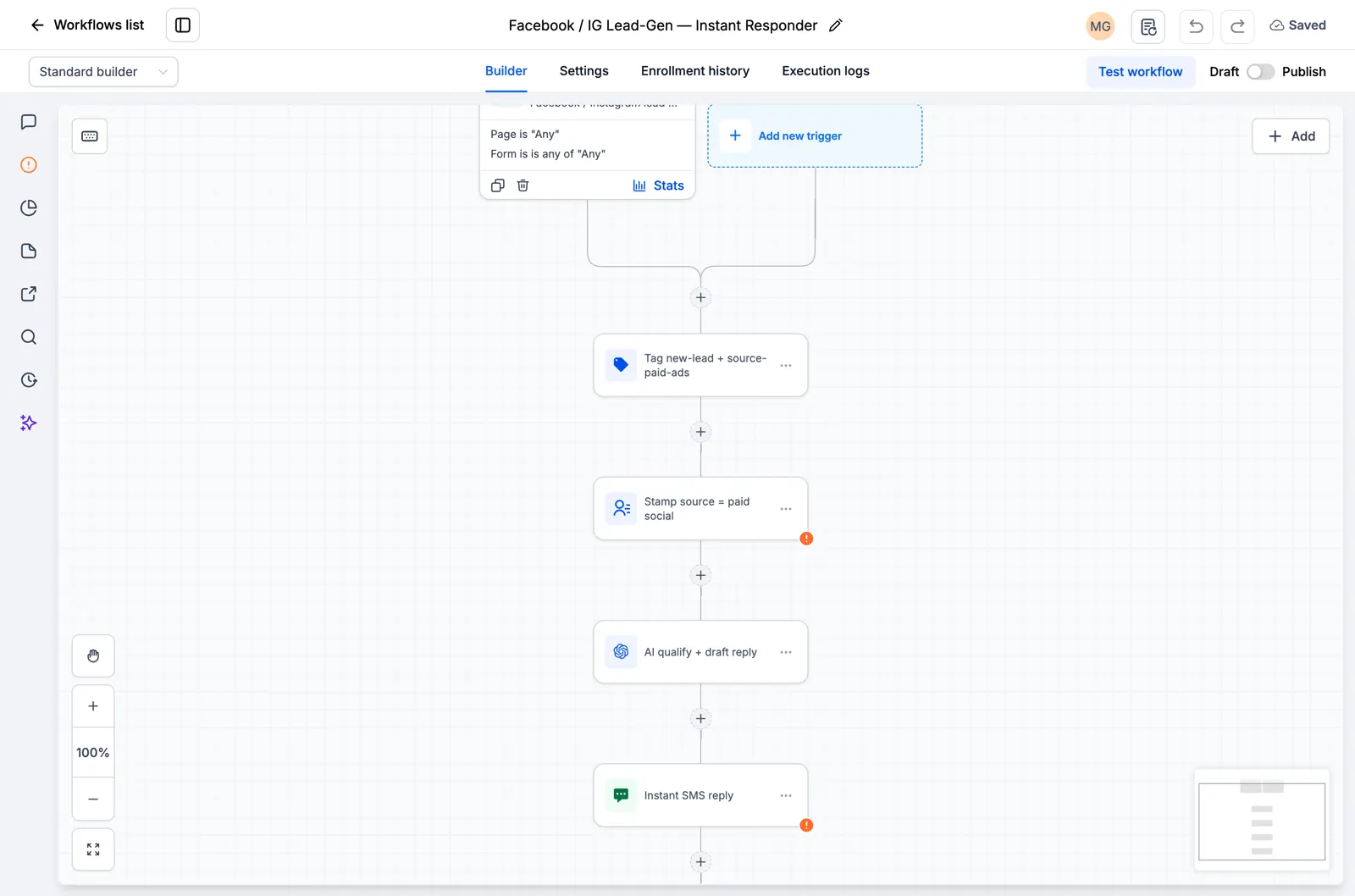
Screenshot of the Facebook and Instagram Lead Instant Responder canvas

Speed to Lead, 60-Second SMS and Email Blast

A new lead gets an SMS and an email inside the first minute, when they are most likely to reply.
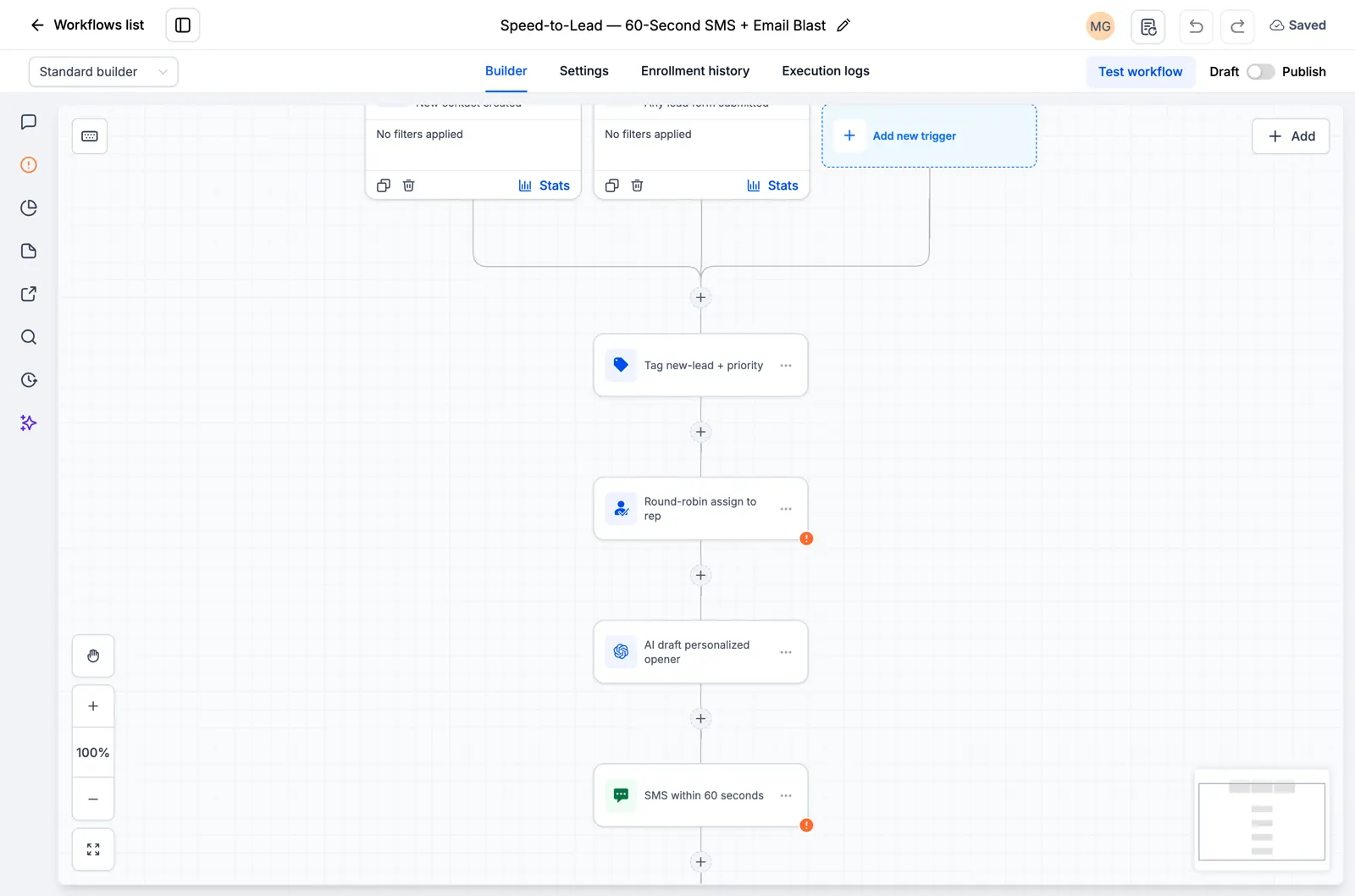
Screenshot of the Speed to Lead, 60-Second SMS and Email Blast canvas

Google and Facebook Review Funnel

It asks every customer for a public review by SMS and follows up a few days later.
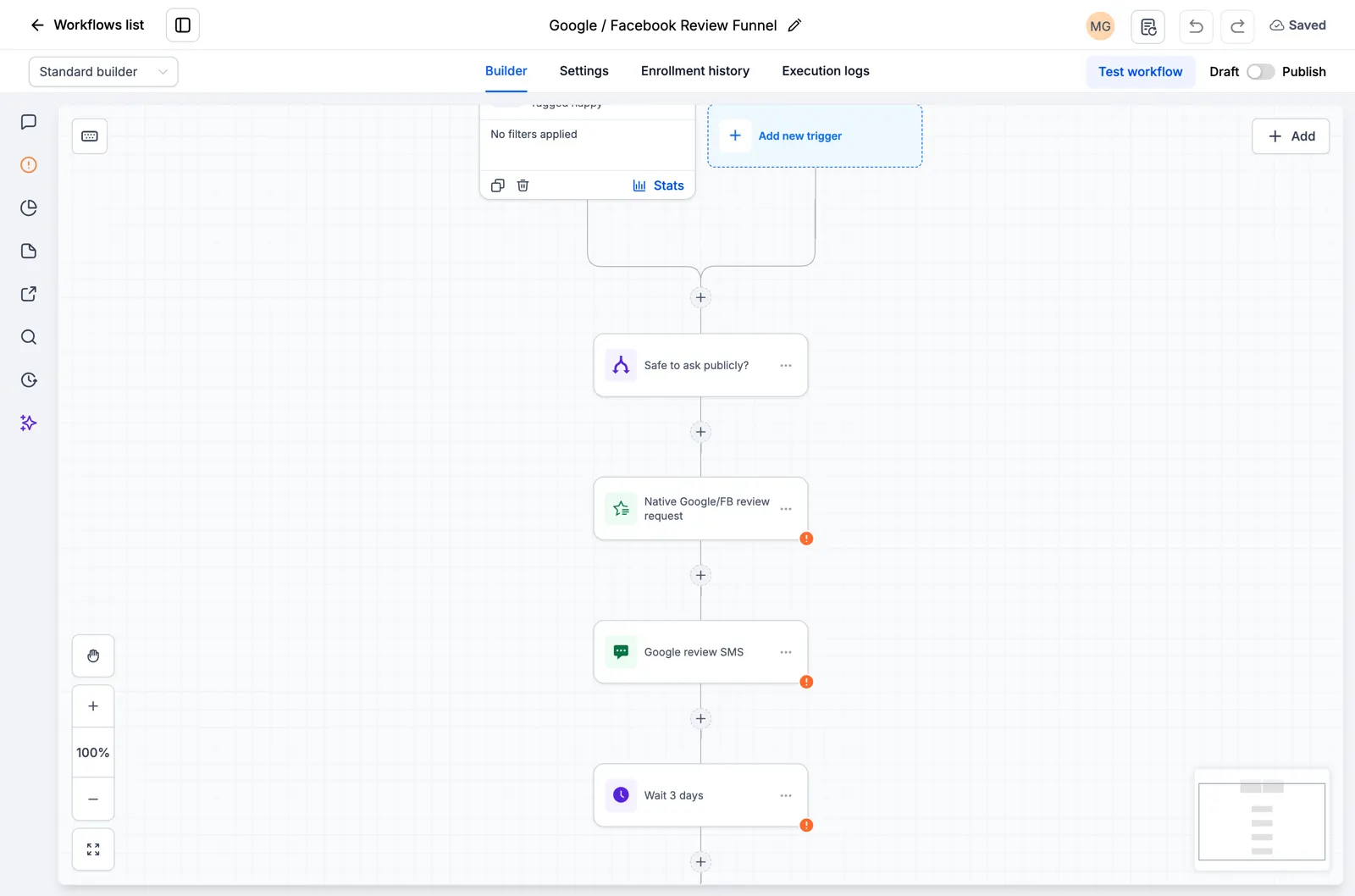
Screenshot of the Google and Facebook Review Funnel canvas

AI Feedback Alert

Every customer gets the same review request. Low scores also alert your team for a private follow-up.
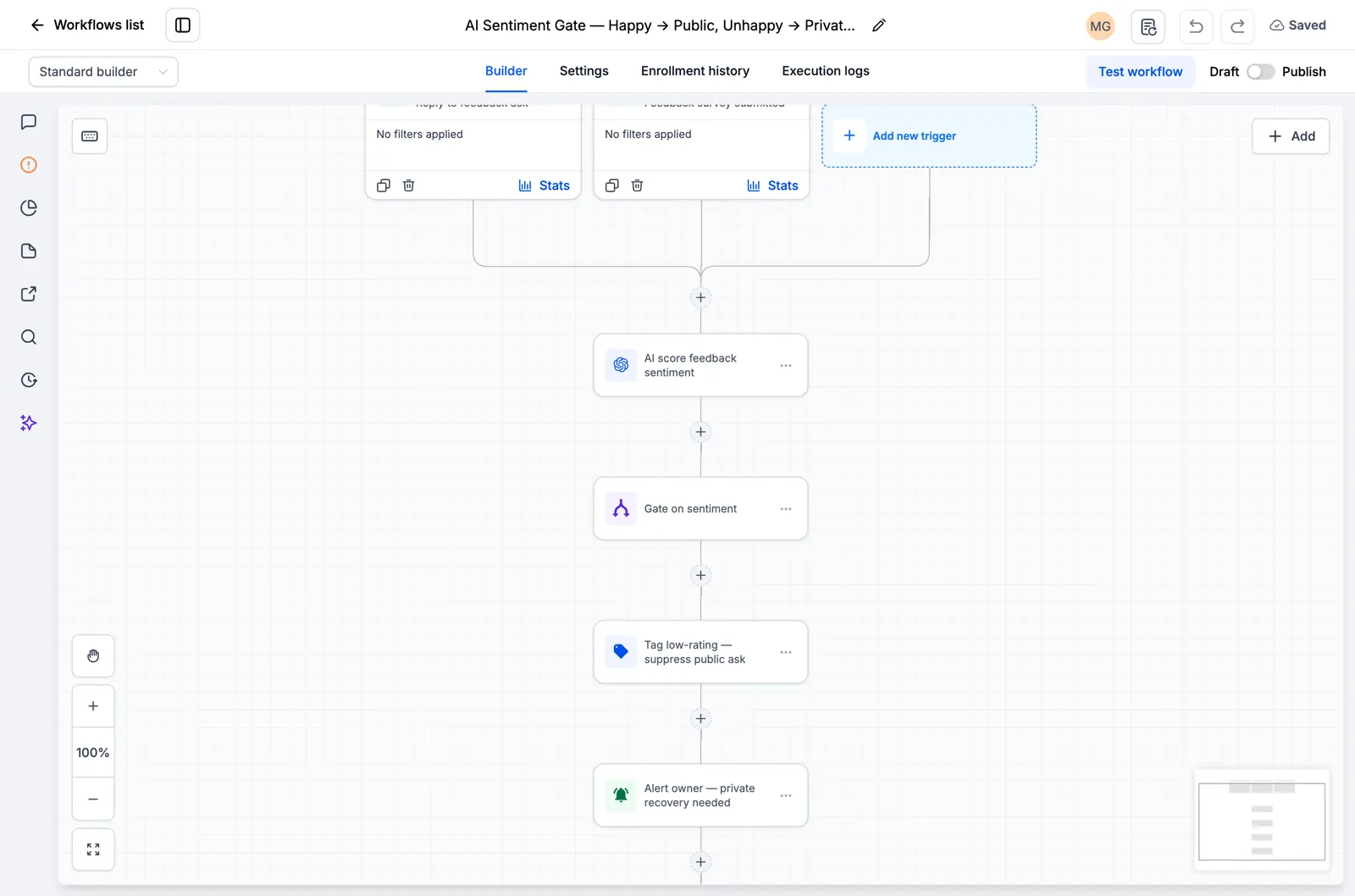
Screenshot of the AI Feedback Alert canvas

Reputation Monitoring, Owner Alert

It watches for new reviews and alerts the owner right away so nothing slips through.
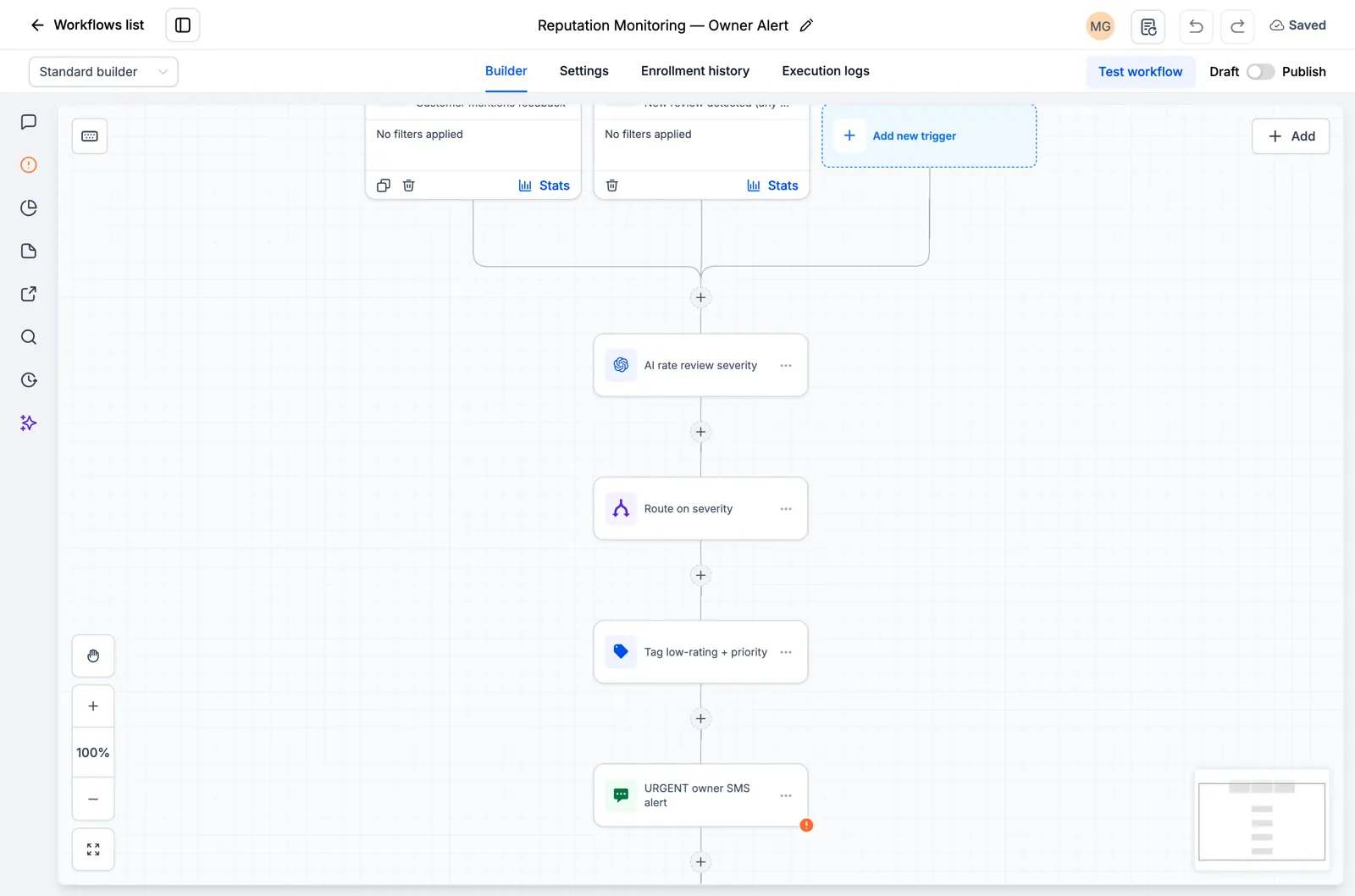
Screenshot of the Reputation Monitoring, Owner Alert canvas

Explore the current workflow library

Browse all 176 inspected drafts and the ten new niche workflow packs. Every page states what is present and what still needs setup or testing. Open the catalog.
30-tägige kostenlose Testversion + kostenlose RocketLauncher-Tools

Testen Sie GoHighLevel 30 Tage lang. Holen Sie sich diese Tools kostenlos.

Melden Sie sich über unseren Link für eine 30-tägige kostenlose Testversion von GoHighLevel an. Ihre Snapshot-Bibliothek, LeadMiner, CopyCat und die anderen hier gezeigten RocketLauncher-Tools sind kostenlos enthalten.

30 Tage zum Ausprobieren von GoHighLevel. Alle diese Tools kostenlos.

Starten Sie meine 30-tägige kostenlose Testversion

Nutzen Sie unseren Link, um die Testversion und die kostenlosen Tools zu erhalten. Ihr GoHighLevel-Abonnement wird nach der Testversion bezahlt; Versandkosten und kostenpflichtige Dienste Dritter sind getrennt.

  • GoHighLevel-Workflow mit Lead-Zuweisung und einem SMS-Folgeschritt
    In einem gespeicherten GoHighLevel-Workflow

    Snapshots + Workflows

    Richten Sie Ihre Nachverfolgung schneller ein

    Importieren Sie vorgefertigte GoHighLevel-Setups für Anfragen, Terminerinnerungen und Nachverfolgungen. Fügen Sie Ihre Geschäftsdaten hinzu und testen Sie sie, bevor Sie sie aktivieren.

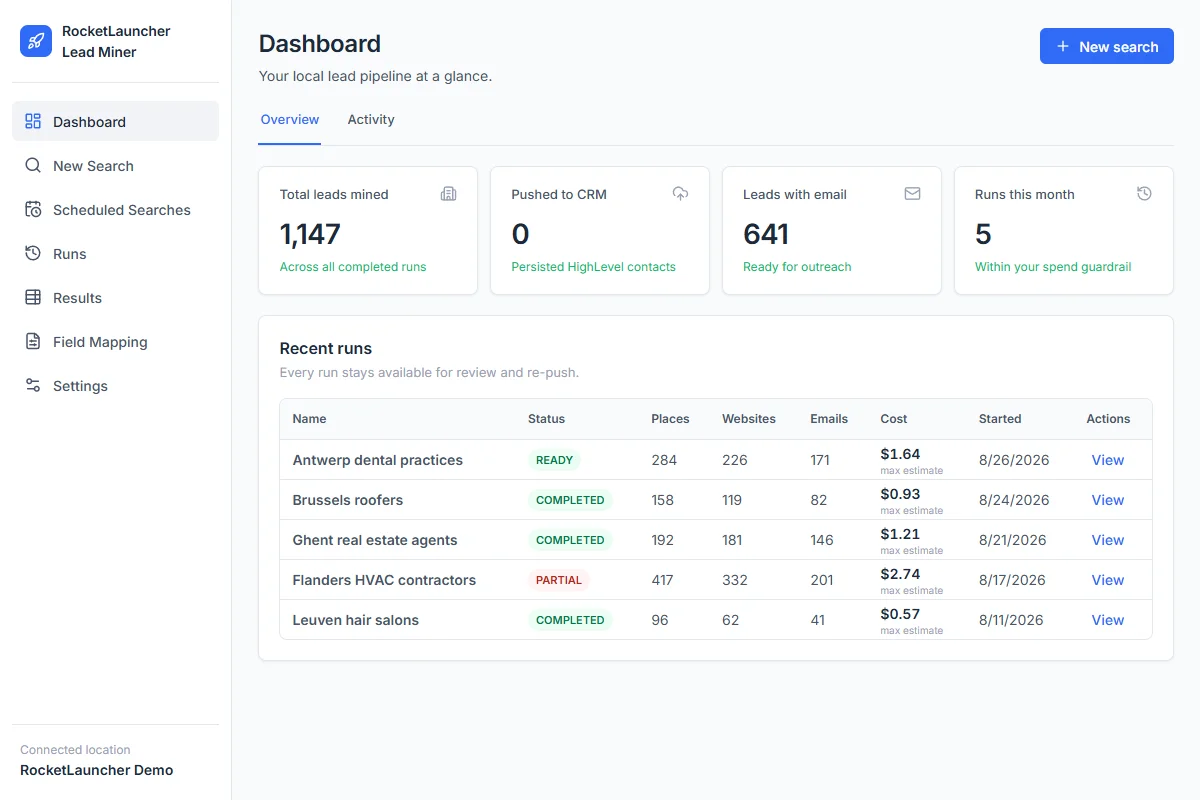
  • RocketLauncher Lead Miner Demo-Dashboard mit lokalen Unternehmenssuchen und Lead-Zählungen
    LeadMiner Arbeitsbereich · Demodaten

    LeadMiner

    Finden Sie Unternehmen, an die Sie verkaufen können

    Suchen Sie auf Google Maps nach lokalen Unternehmen, überprüfen Sie deren Websites und Kontaktdaten und senden Sie dann ausgewählte Leads an GoHighLevel. Finden Sie zum Beispiel Dachdecker, die Ihre Dienste in Anspruch nehmen könnten.

  • Copy Cat GHL-Produktbild: GoHighLevel-Websites und -Trichter kopieren
    CopyCat für GoHighLevel

    CopyCat

    Eine Seite kopieren und an Ihr Unternehmen anpassen.

    Kopieren Sie eine GoHighLevel-Website oder einen Funnel in Ihr eigenes Konto. Ändern Sie das Logo, die Bilder und den Text für Ihr Unternehmen oder Ihren Kunden. Verwenden Sie Seiten, deren Eigentümer Sie sind oder für deren Wiederverwendung Sie die Erlaubnis haben.

  • Plus Tutorials, Community-Hilfe und weitere RocketLauncher-Tools

    Erhalten Sie Hilfe bei der Einrichtung der Tools und der Umsetzung Ihres ausgewählten Snapshots.

Holen Sie sich das Bundle in 3 Schritten

  1. 1.Starten Sie Ihre 30-tägige kostenlose Testversion

    Verwenden Sie unseren GoHighLevel-Link oben, um die 30-Tage-Testversion zu erhalten und sich für alle hier gezeigten kostenlosen Tools zu qualifizieren.

  2. 2.Fordern Sie Ihren Zugang an

    Treten Sie der RocketLauncher-Community bei und fordern Sie Ihren Bundle-Zugang an, nachdem Sie sich über unseren Link angemeldet haben.

  3. 3.Wählen Sie einen Snapshot und installieren Sie ihn

    Rufen Sie den Importlink für einen verfügbaren Snapshot ab. Importieren Sie es in Ihr GoHighLevel-Konto, fügen Sie Ihre Geschäftsdaten hinzu und testen Sie es vor der Aktivierung.

Schon über unseren Link gestartet? Beanspruchen Sie Zugriff

Vorschaupakete werden noch vorbereitet und können noch nicht installiert werden. Überprüfen Sie den Status jedes Pakets, bevor Sie es auswählen.

Partnerlink: Wir erhalten eine Provision, wenn Sie sich anmelden, ohne dass Ihnen zusätzliche Kosten entstehen.