 9:35
9:35सारांश. The GoHighLevel quiz builder sits inside Sites under Quizzes and works on a page-per-question model that keeps respondents focused on one thing at a time. Each answer option carries a point value you set, and the results page uses those totals to show a personalized outcome. Workflows can read the score to trigger follow-up sequences, tag contacts, or move them into the right pipeline stage automatically.
आप क्या सीखेंगे
- Access the quiz builder at Sites > Quizzes > Builder
- Use one question per page to keep respondents focused and improve completion rates
- Assign point values to individual answer choices
- Collect contact details at the end of the quiz for higher opt-in rates
- Customize the results page with dynamic quiz tags showing category scores
- Trigger workflows based on quiz score to automate follow-up
स्टेप
Open the quiz builder
Click Sites in the left menu, then select Quizzes at the top, and choose Builder. Click Add Quiz.
Add question elements
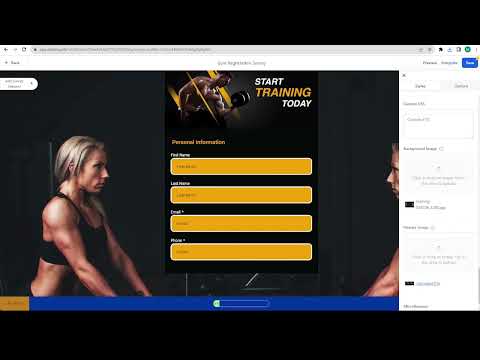
Click the plus sign on the left to see available elements. Drag a Single Choice or Multiple Choice element onto the first page. Each element you add creates its own page automatically.
Choose the right input type for each question
Use Single Choice for questions with one correct answer, Multiple Choice for select-all-that-apply, Short Answer or Long Answer for open text, and Number to force a numeric response.
Add contact capture fields at the end
Save name, email, and phone for the last page of the quiz. People who have answered several questions are more likely to share their contact details to see their result.
Assign scores to answer options
Click a choice element, go to Options, and set a point value for each answer. Click Add or Manage to create custom score categories if you want to separate answers into groups such as Fit, Average, and Unfit.
Customize the results page
Go to Settings and click Edit Results Page. Turn sections on or off with the eye icon. Use quiz tags like highest category name and highest category score to show a personalized result based on the contact's answers.
Add a workflow trigger on quiz completion
Create a workflow that fires when the quiz is submitted. Use the score custom field to branch the automation, for example sending high-scorers to a sales sequence and lower-scorers to a nurture sequence.
Preview and publish
Click Preview, complete the quiz yourself to verify every page and the results display correctly, then save and embed or share the quiz link.
टिप्स
- Keep quizzes to five to eight questions. Longer quizzes lower completion rates.
- Use the Number element when you need a specific numeric input. It blocks free-text answers that would break your scoring logic.
- Add addresses or a date picker only if you genuinely need that data. Every extra field is a reason for someone to quit.