AI & Voice Agents

How To Use Ask AI in GoHighLevel for Content Creation

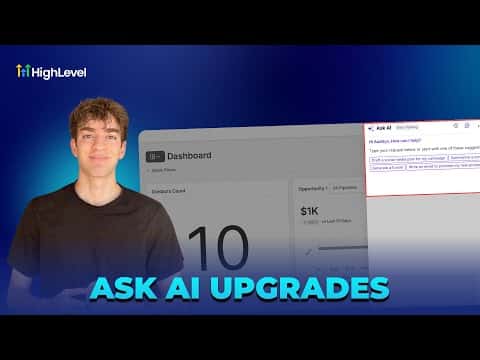
Ask AI in GoHighLevel is an account-wide assistant that takes a plain-language request, breaks it into a visible step-by-step plan, and completes each step for you to review before publishing. Ask it to write and post a blog, and it will draft the content, generate a hero image, and queue the publish step as separate to-dos. You approve each step rather than letting the AI act all at once.

Actualizado el 2 de junio de 2026

1:57

Resumen. Ask AI is a panel available throughout GoHighLevel that converts a single prompt into a structured task list with each step clearly visible before any action is taken. Tasks like writing a blog post or creating and publishing content are broken into discrete, reviewable steps so you stay in control of what gets built. The history panel stores all previous conversations so you can return to earlier work without starting over.

Preguntas frecuentes

Where do I open Ask AI inside GoHighLevel?

Click the blue Ask AI button in the top-right corner of any account section.

Does Ask AI publish content automatically without me approving?

No, each step appears as a to-do for you to review and confirm first.

Can I see past Ask AI conversations?

Yes, click the history icon in the Ask AI panel to view previous sessions.

Constrúyelo con gente que ya lo hizo.

Únete a la comunidad gratis: llamadas en vivo cada semana, un curso para empezar y gente que construye en tu idioma.

Únete gratis en Skool