Getting Started & General

How to Set Up Conversation SLAs in GoHighLevel

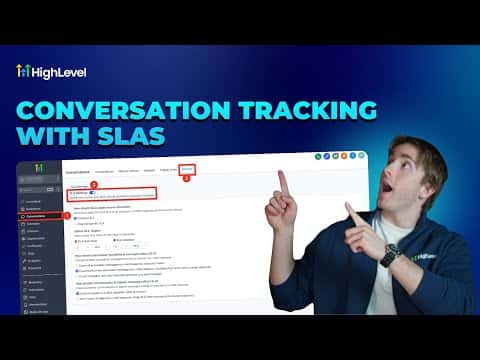
GoHighLevel conversation SLAs (service level agreements) add a visible countdown timer to each inbox conversation so your team knows when a reply is overdue. Set them in Conversations > Settings, choose a common timer for all channels or different timers per channel, and GoHighLevel will color-code conversations as they approach or pass the deadline.

2026年6月2日に更新

5:27

概要. GoHighLevel's conversation SLA feature places a countdown timer on each active conversation, turning orange when a response deadline is approaching and red when it passes. SLAs can be configured channel by channel, so SMS might have a 3-minute target while email allows 30 minutes. Additional settings control whether automated workflow messages or AI agent replies count as a valid response, pausing the timer.

よくある質問

Where do I set up conversation SLAs in GoHighLevel?

Conversations > Settings (top right), then toggle on SLAs.

Can I set different response times for SMS versus email?

Yes. Choose 'Channel Specific SLA' to set separate timers per channel.

Do automated workflow replies count as meeting an SLA?

Only if you configure that option. You can count automation replies, AI replies, both, or neither.

すでに作った人たちと、一緒に作ろう。

無料コミュニティに参加しましょう。毎週のライブ通話、最初に見るコース、あなたの言語のビルダーがいます。

Skoolに無料で参加