 1:38
1:38概要. This tutorial shows how to add custom meta tags to individual funnel or website pages in GoHighLevel through the SEO metadata panel. Common uses include preventing search engines from indexing thank-you pages and verifying ownership of a domain with Google or other services.
学べること
- Locate the SEO metadata panel within any funnel or website page
- Add a robots noindex tag to keep a page out of search results
- Add domain verification meta tags for Google, Bing, or other services
- Confirm the tag appears in the live page source after saving
ステップ
Open the page in the editor
Go to your funnel or website, find the page you want to modify, and click to open it in the builder.
Access SEO metadata settings
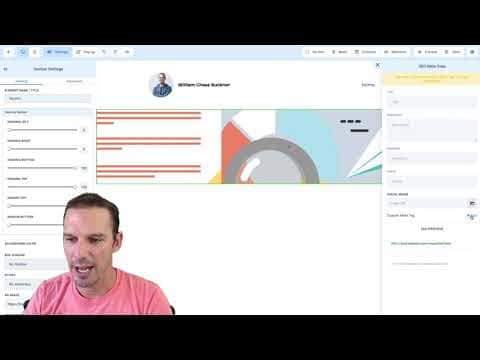
Click Settings in the top toolbar and choose SEO Metadata from the menu.
Add a custom meta tag
In the custom meta tags section, enter the tag name (for example 'robots') in the Name field and the value (for example 'noindex') in the Content field. Click Add.
Save and verify
Hit Save on the page, then open the live page in a browser. Right-click and inspect the page source, then search for the tag name you entered. Confirm it appears inside the head section.
ヒント
- Thank-you pages and post-purchase confirmation pages are the most common candidates for a noindex tag
- Verification meta tags from Google Search Console or Google Business Profile follow the exact same process