मेन्यू
RocketLauncher

Workflows & Automation

GoHighLevel Advanced Workflow Builder: Getting Started

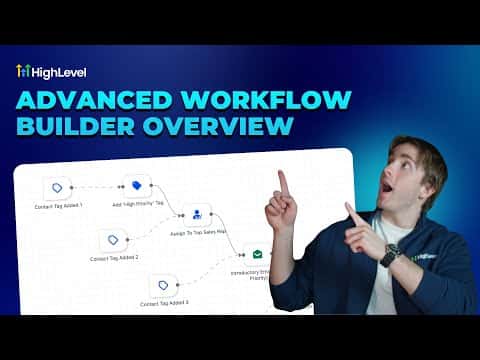
The advanced workflow builder in GoHighLevel replaces the top-down layout with a horizontal canvas where triggers and actions, called nodes, connect via draggable lines. This gives you the freedom to build parallel paths, disconnect branches, and drag nodes anywhere on the canvas. You can switch between the standard and advanced builder at any time, as long as you have no disconnected branches.

अपडेट: 2 जून 2026

4:06

सारांश. GoHighLevel's advanced workflow builder uses a horizontal canvas instead of a vertical list, making complex automation logic easier to read and build. Triggers only connect on their right side, while action nodes connect on both sides, allowing flexible routing. You can add actions by right-clicking the canvas or hovering over connection lines to insert steps inline. Parallel workflows, where two separate paths run inside one automation, are a key feature exclusive to the advanced builder.


लोग जो सवाल पूछते हैं

How do you switch to the advanced builder?

Open any workflow and click Standard Builder in the top left to toggle it.

Can you switch back to the standard builder after using the advanced one?

Yes, unless you have disconnected branches. Reconnect them first to switch back.

What is a parallel workflow in the advanced builder?

Two separate paths running inside one workflow, each with its own trigger or start point.

उन लोगों के साथ बनाएँ जो पहले बना चुके हैं।

फ्री कम्युनिटी से जुड़ें: हर हफ़्ते लाइव कॉल, एक स्टार्ट-हियर कोर्स और आपकी भाषा में बोलने वाले बिल्डर्स।

Skool पर फ्री जुड़ें