मेन्यू
RocketLauncher

Getting Started & General

How to Send Gift Cards in GoHighLevel

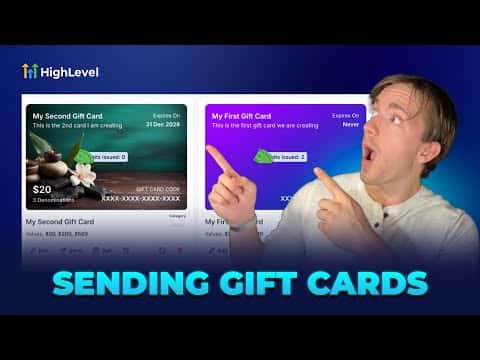
GoHighLevel lets you issue digital gift cards to customers without requiring any payment from them. Navigate to Payments, open Gift Cards, and click Send on any existing card. You pick the recipient from your CRM contacts, write a personal message, choose a delivery method (email, SMS, QR code, or PDF), select the card value, and schedule or send immediately.

अपडेट: 2 जून 2026

5:35

सारांश. GoHighLevel's gift card feature allows businesses to send branded digital gift cards directly to contacts in their CRM. The send flow walks through four steps: selecting the recipient, writing a personalized message, choosing a denomination and delivery method, and confirming the send date. Cards can be delivered via email, SMS, QR code, or PDF, making it simple to reward customers without any purchase required on their end.

लोग जो सवाल पूछते हैं

Does the customer need to pay anything to receive a gift card?

No, a sent gift card costs the recipient nothing.

Can I schedule a gift card to send on a future date?

Yes, step four of the send flow lets you pick a delivery date.

What contact details are required before sending a gift card?

The contact must have at least an email address or a phone number.

उन लोगों के साथ बनाएँ जो पहले बना चुके हैं।

फ्री कम्युनिटी से जुड़ें: हर हफ़्ते लाइव कॉल, एक स्टार्ट-हियर कोर्स और आपकी भाषा में बोलने वाले बिल्डर्स।

Skool पर फ्री जुड़ें