 11:33
11:33Resumen. Dynamic call tracking in GoHighLevel uses number pools to assign a unique phone number to each visitor session. When someone lands on your page, GoHighLevel displays a number tied to that session. When they call, the platform knows the source, keyword, and landing page that brought them in. This gives you accurate attribution data without manually maintaining separate numbers for every campaign.
Lo que aprenderás
- Understand the difference between static and dynamic call tracking
- Choose between Marketing Campaign and Visitors Activity pool types
- Configure pool size based on the number of simultaneous visitors you expect
- Embed the tracking snippet on your website to enable dynamic number swapping
- Read call tracking reports to identify which channels drive the most calls
Pasos
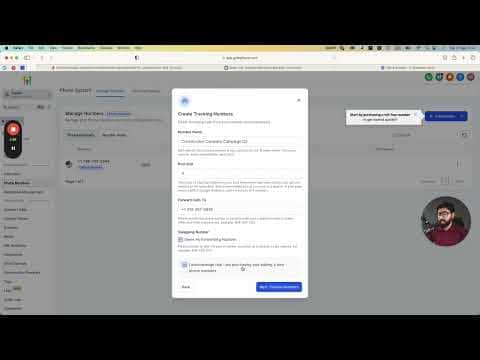
Go to Phone Numbers in Settings
Inside the GoHighLevel sub-account, navigate to Settings and then Phone Numbers. Click the Add Number button.
Select Add Number Pool
In the dialog that appears, choose the Add Number Pool option rather than purchasing a single number.
Choose the pool type
Select Marketing Campaign if you are tracking one channel only, such as a single paid ads campaign. Choose Visitors Activity if you are tracking multiple sources like paid search, SEO, and social. Visitors Activity is the more capable option and is recommended when you have more than one traffic source.
Set the tracking options
Select All Visitors as your tracking option if you want the broadest attribution coverage across multiple campaigns and keywords. This is the recommended choice for most setups.
Name the pool and set pool size
Give the pool a descriptive name, such as the business name and campaign period. Set the pool size to at least four numbers, which is the minimum. If your site gets heavy simultaneous traffic, increase the pool so every active visitor session gets a unique number.
Select your phone numbers
Choose numbers from your available inventory or purchase new ones to fill the pool. All numbers in the pool must be in the same area code or region for consistency.
Add the tracking snippet to your website
GoHighLevel generates a short JavaScript snippet after you save the pool. Paste this snippet into the header of every page where you want call tracking to work. The snippet reads each visitor's source data and swaps the phone number dynamically.
Consejos
- Start with a pool size of four and monitor how often numbers get reused. If two visitors frequently share a number at the same time, increase the pool.
- Dynamic call tracking only works when the snippet is present on the page. Confirm it loads on all pages where the tracking number is displayed.
- Check call reports weekly to see which keywords and sources generate calls, then adjust ad spend accordingly.