 5:03
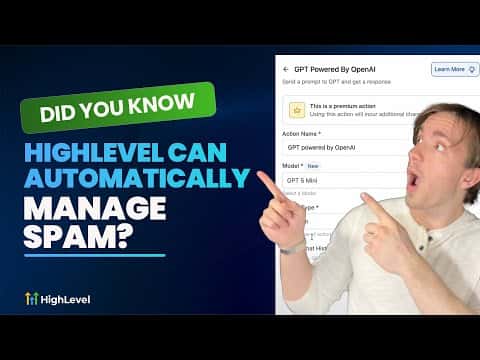
5:03概要. This tutorial covers building a GoHighLevel workflow that removes spam contacts without any manual effort. A trigger fires on every inbound reply, and an AI step reads the message to decide if it is spam. Safe rollout starts with tagging suspect contacts for review, then progresses to automatic deletion once you confirm accuracy.
学べること
- Set up a 'Customer Replied' trigger that catches spam across all connected channels
- Use keyword phrase filters to catch common spam patterns like 'violation' or 'suspension'
- Send message bodies to a GPT model and interpret the response with a conditional branch
- Tag contacts as spam first so you can audit results before enabling auto-deletion
- Delete confirmed spam contacts automatically with the Delete Contact action
ステップ
Create a new workflow
In GoHighLevel, open Automations and start a new workflow from scratch. Name it something clear, like 'Spam Filter'.
Add a Customer Replied trigger
Select 'Customer Replied' as the trigger. This fires any time a contact messages you across any connected channel, including Facebook Messenger, Instagram DMs, and SMS.
Option A: Add a keyword phrase filter
Add a filter using 'Contains Phrase' and enter words common in spam, such as 'violation', 'suspension', or 'permission'. This catches rule-based spam without needing AI.
Option B: Add a GPT action for AI detection
Add an AI action, select GPT-4o mini or a similar lightweight model, and write a prompt asking it to read the message body and return 'spam' or 'not'. Map the message body as the input variable.
Add a conditional branch
After the AI action, add a branch that checks whether the GPT response contains 'spam'. The Yes branch handles spam; the No branch can end or continue the workflow normally.
Start with a Spam tag
On the spam branch, add an 'Add Contact Tag' action and apply the tag 'spam'. Run this for one to two weeks and review tagged contacts manually to confirm accuracy.
Upgrade to Delete Contact
Once you are confident the detection is accurate, add or replace the tag action with 'Delete Contact'. This permanently removes the spam contact from your CRM.
ヒント
- Using the tag-first approach gives you a safety net before enabling permanent deletion.
- Lighter GPT models cost less per message and work well for simple spam classification tasks.
- Combine keyword filters with the AI step for a two-layer defense against different spam patterns.