 2:39
2:39概要. Snapshot sharing allows an agency to distribute a pre-built GoHighLevel setup to other agencies without giving them direct account access. This tutorial explains how to generate a one-time share link, send it by email through GoHighLevel, and create a permanent link, along with the key difference between the two link types so you can choose the right one for your situation.
学べること
- Find the share button next to any snapshot in Agency Settings
- Generate a one-time share link for a single import
- Send a snapshot link via email directly from GoHighLevel
- Create a permanent link for unlimited imports
- Understand when to use each link type
ステップ
Open Account Snapshots
Go to Settings in the left sidebar of your agency view, then click Account Snapshot in the top navigation.
Click the share button
Find the snapshot you want to share. Click the share icon, which is the first button to the right of the snapshot name.
Generate a one-time share link
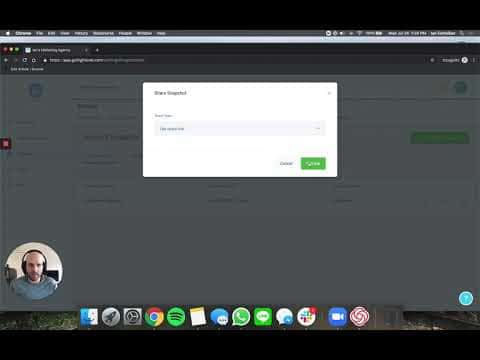
Click Get Share Link, then click Get Link. Copy the URL and send it to the receiving agency. Once they import the snapshot, that link stops working.
Share by email
Click Email Share Link, enter the receiving agency's email address, and click Send. GoHighLevel sends them an email with both a direct import link and a copyable URL.
Generate a permanent link
Click Get Permanent Link, then Get Link. This URL can be imported by any number of agencies any number of times. Share it publicly if you want open distribution.
ヒント
- If you sell snapshots, always use the one-time share link. Buyers cannot redistribute it after importing.
- A permanent link is ideal for onboarding templates you send to all new clients.
- Snapshots do not include contact records, so sharing one carries no data privacy risk.