
Libreria video
GoHighLevel Calendar and Booking Tutorials
These tutorials cover calendars and booking in GoHighLevel. You learn to connect Google Calendar so you never double-book, generate dynamic Zoom links for meetings, import from Calendly, and display multiple calendars on one page. Booking is where a lead becomes an appointment, so the sync has to be reliable. Start by connecting your Google Calendar, then add the Zoom integration for online calls.
2 giugno 2026 aggiornato
Tutti i tutorial Calendars & Booking
 1:54Generate Dynamic Meeting Links with the GoHighLevel Zoom IntegrationVisualizzazioni 13K
 4:19How to Update Meeting Location with a Dynamic Zoom Link in GoHighLevelVisualizzazioni 12K
 2:52Create a GoHighLevel Calendar and Connect It to Google CalendarVisualizzazioni 9,9K
 6:07How to Integrate Calendly with GoHighLevel CalendarsVisualizzazioni 9K
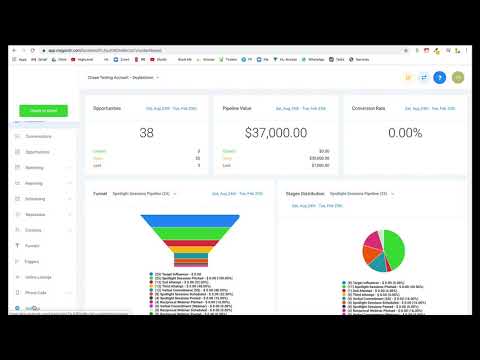 2:31How to Display Multiple GoHighLevel Calendars on One PageVisualizzazioni 6,9K
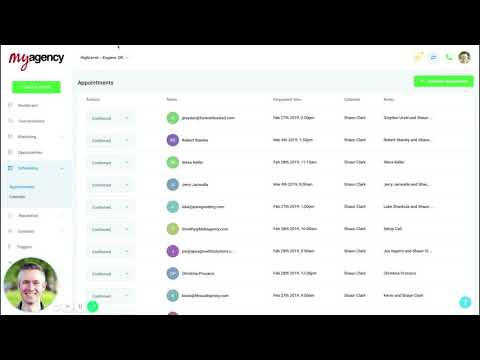 5:53How to Create an Appointment Reminder Campaign in GoHighLevelVisualizzazioni 5,5K
 3:54How to Create a Round-Robin Calendar in GoHighLevelVisualizzazioni 4,8K
 11:48Service Calendar Setup Guide for a Hair Salon in GoHighLevelVisualizzazioni 4,5K
 3:01How to Use Custom Forms in GoHighLevel Service Menu CalendarsVisualizzazioni 4,2K
 1:25How to Embed a GoHighLevel Calendar on Any PageVisualizzazioni 3,8K
 4:27GoHighLevel Workflow Recipe: Appointment Confirmation and RemindersVisualizzazioni 3,8K
 9:22How to Set Up a Service Calendar for an Automotive Detailing BusinessVisualizzazioni 3,7K
 1:08How to Block Off Dates and Times in Your GoHighLevel CalendarVisualizzazioni 3,5K
 3:46How to Customize Your GoHighLevel Calendar WidgetVisualizzazioni 3,4K
 4:07How to Set Up and Manage Rental Calendars in GoHighLevelVisualizzazioni 970
 5:58How to Set Up Appointment Reminders and Confirmations in GoHighLevelVisualizzazioni 911
 4:33How to Create a Service Calendar in GoHighLevelVisualizzazioni 870
 9:59How to Book Appointments Automatically from Instagram Replies in GoHighLevelVisualizzazioni 859
 2:04How Smart Calendars in GoHighLevel Automate Confirmations and RemindersVisualizzazioni 546
 3:42How GoHighLevel AI Books Appointments Around the ClockVisualizzazioni 453
 2:09How to Automate Client Check-Ins and Progress Updates in GoHighLevelVisualizzazioni 436
 1:59How to View Custom Form Submissions Inside the GoHighLevel Appointment ModalVisualizzazioni 422
 2:43How to Set Up an Event Calendar in GoHighLevelVisualizzazioni 416
 3:03How to Set Up a Round Robin Calendar in GoHighLevelVisualizzazioni 309
 1:20How to Collect Upfront Payments for Appointments in GoHighLevelVisualizzazioni 274
Argomenti correlati
- CRM, Contacts & Lead GenRun the CRM: tags, custom fields, inbound webhooks, owners, smart lists, and opportunities across your pipelines.
- Workflows & AutomationBuild workflows from triggers and actions: spam management, Facebook and Instagram automation, the chat widget, and conversions back to the ads platform.
- Forms & SurveysCapture leads with forms and surveys: conditional logic, quizzes, submission tracking, math calculations, and styled surveys.
Domande che le persone fanno
Does GoHighLevel sync with Google Calendar?
Yes. Connecting Google Calendar checks your real availability so you avoid double-booking.
Can I add a Zoom link to bookings?
Yes. The Zoom integration creates a unique meeting link for each appointment.
Can I move from Calendly to GoHighLevel?
Yes. You can import your Calendly setup into HighLevel calendars.
Can I show more than one calendar on a page?
Yes. You can display multiple calendars together on a single booking page.