Workflows & Automation

How to Use GoHighLevel's Trigger Narration Feature in Workflows

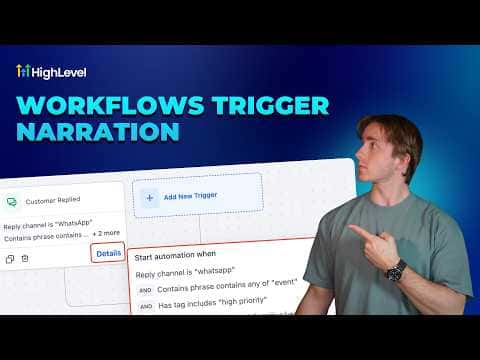
Trigger narration is a small display built into the GoHighLevel workflow canvas that shows you a plain-language summary of what is firing a workflow and why. Instead of clicking into the trigger and reading through filter lists, you see the key conditions right on the trigger card. A Details button expands a slightly fuller view when you need more context.

Atualizado em 2 de junho de 2026

1:45

Resumo. GoHighLevel's trigger narration feature adds a readable summary directly onto each trigger card inside the workflow builder. It shows the trigger type and its active filters at a glance, which is useful when reviewing complex automations or onboarding team members who need to understand how a workflow fires without digging into configuration screens. The Details button reveals an expanded version of the same information.
Perguntas frequentes

Where does the trigger narration appear?

It appears directly on the trigger card inside any open workflow in the builder.

Does trigger narration replace clicking into the trigger to edit it?

No, it is read-only. You still click into the trigger to change filters.

Is this useful for team members who did not build the workflow?

Yes, it lets any team member read what fires the workflow without touching the settings.

Crie com quem já criou.

Entre na comunidade gratuita: lives semanais, um curso para começar e criadores no seu idioma.

Entre de graça no Skool