 7:01
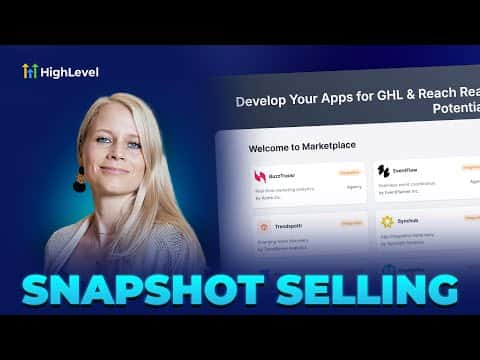
7:01Resumo. The GoHighLevel App Marketplace lets agencies and builders sell their pre-built snapshots to other agencies with built-in payment processing and IP protection. This tutorial covers the complete listing process: creating an app profile, writing a description, uploading preview images, selecting a pricing model, and submitting for review. Buyers purchase through the marketplace and can push the snapshot to their sub-accounts.
O que você vai aprender
- Sign up and create an app listing on the GoHighLevel marketplace
- Set your app category, logo, and description
- Upload preview images and an optional walkthrough video
- Choose between free, freemium, one-time, monthly, or annual pricing
- Configure payment collection through GoHighLevel or an external page
- Submit the app for marketplace review
Passos
Create a marketplace account
Go to marketplace.gohighlevel.com and sign up with your GoHighLevel credentials. Verify your email to unlock the dashboard.
Create a new app
Click My Apps at the top, then Create App. Enter the name of your snapshot as the app name. Set visibility to Public if you want it discoverable by all agencies.
Choose who you charge
Select whether you are billing the agency account or the sub-account. For marketplace snapshot sales, choose Agency. Then select white label (higher reach) or standard listing type.
Complete the app profile
Upload a square logo (400x400 or 800x800 pixels), select a category from the available options (CRM, Marketing, Productivity, etc.), write a tagline, add your company name and website URL, and click Save.
Add preview images and a video
Under App Profiles, write a description of what the snapshot includes. Upload at least three preview screenshots. Optionally paste a YouTube video URL showing a walkthrough of the snapshot.
Set support details
Add your support email and optionally a documentation URL, support website, and phone number. This is what buyers use if they have questions about your product.
Configure pricing
Click Pricing. Choose Free, Freemium, or a paid model. For paid, select whether payments run through GoHighLevel (recommended) or redirect to an external checkout URL. Add a pricing plan and choose one-time, monthly, or annual. One-time is the most popular model for snapshots.
Submit for review
Once all required fields are complete, submit the app. The GoHighLevel marketplace team reviews it before it goes live. Review timelines vary, so check back in a few days.
Dicas
- A minimum of three preview images is required. Use screenshots showing the funnel, the automation flow, and the final output.
- One-time pricing works best for snapshots because the asset is delivered on import and cannot be taken back.
- GoHighLevel handles payment processing and payouts when you use their internal payment option, which reduces your admin work.