Reporting & Dashboards

GoHighLevel Dashboard Overview: What Each Section Means

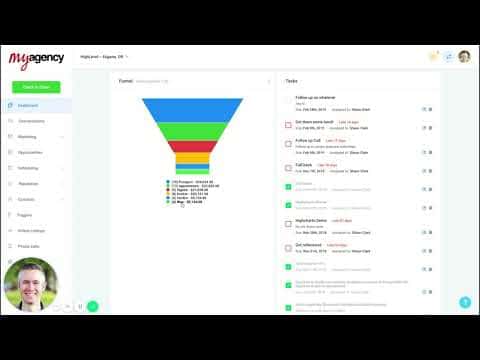
The GoHighLevel dashboard is the first screen clients see when they log in. It pulls together opportunities, pipeline value, conversion rate, appointment data, lead source breakdowns, Google Business stats, and review performance into one view. Understanding each section helps you explain the numbers to clients and spot where leads are dropping out of the funnel.

Atualizado em 2 de junho de 2026

5:21

Resumo. This overview explains each section of the default GoHighLevel dashboard, from the opportunities summary and pipeline value counter to the sales funnel visualization, task list, appointment history, and integrations for Google Ads, Google Business Profile, reviews, and listings. It also clarifies the funnel's cumulative counting logic, which is easy to misread without context.


Perguntas frequentes

Why does the funnel section show more contacts than the individual stage counts suggest?

The funnel is cumulative. Everyone in a later stage is also counted in all earlier stages, showing where drop-off happens.

What does the lead source report show?

It shows how many leads came from each source, what dollar value they represent, and how they are converting.

Does the Google Business Profile section update automatically?

Yes, once the integration is connected it pulls search impressions, actions, and interaction data automatically.

Crie com quem já criou.

Entre na comunidade gratuita: lives semanais, um curso para começar e criadores no seu idioma.

Entre de graça no Skool