 2:12
2:12Resumo. This tutorial walks through connecting a subdomain to a GoHighLevel funnel using a CNAME record. You add the subdomain in Settings, create the matching DNS record at your registrar (GoDaddy in this example), wait for propagation, and then link the domain to a funnel. The final step is confirming the page loads on the new subdomain and that the SSL certificate is active.
O que você vai aprender
- Understand the difference between a subdomain and a root domain
- Add a subdomain inside GoHighLevel Settings under Domains
- Create a CNAME record at your DNS registrar pointing to GoHighLevel
- Link the new domain to a specific funnel or website
- Confirm the page is live and the SSL certificate has been issued
Passos
Go to Settings and open Domains
Inside the sub-account, click Settings in the left sidebar, then select Domains. This is where all funnel and website domains are managed.
Add a new domain with your subdomain address
Click Add New Domain and type the full subdomain address, for example promotions.yourdomain.com. Because this is a subdomain, you only need a CNAME record, not an A record. Copy the CNAME target URL that GoHighLevel displays.
Create the CNAME record at your registrar
Log in to your DNS provider (GoDaddy, Cloudflare, Namecheap, or similar). Add a new CNAME record. Set the host to the part before the first dot, so for promotions.yourdomain.com the host is promotions. Paste the URL you copied from GoHighLevel as the value. Lower the TTL to 600 seconds if the option is available, then save.
Click Add in GoHighLevel and wait for propagation
Back in GoHighLevel, click Add to verify the CNAME. If it fails the first time, wait a minute and try again. DNS changes can take a few minutes to become visible worldwide.
Link the domain to a funnel
Once GoHighLevel accepts the record, select the funnel or website you want this subdomain to serve and click Link. The domain is now attached to that funnel.
Confirm the page is live
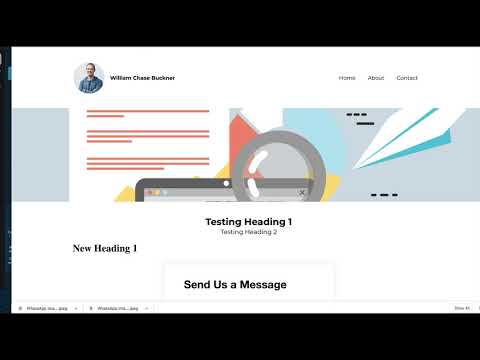
Open the full subdomain URL in a browser. The first load may return a brief error while the SSL certificate is being issued. Refresh after a few seconds and the page should load over HTTPS.
Dicas
- The host field in your DNS must match exactly what comes before the dot in your subdomain. If the subdomain is shop.example.com, the host value is shop.
- Lowering TTL before making a DNS change helps it propagate faster. You can raise it again after the domain is confirmed working.
- GoHighLevel handles SSL certificate issuance automatically. You do not need to upload a certificate or configure anything extra.