Workflows & Automation

How to Read GoHighLevel Workflow Trigger Stats

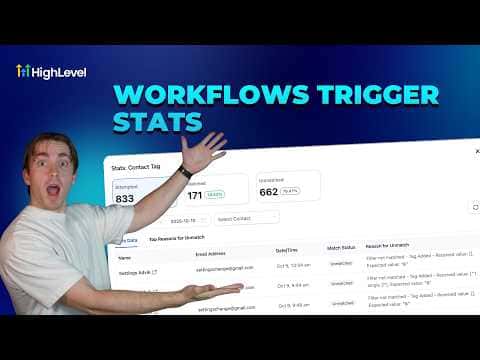
The trigger stats view inside GoHighLevel's workflow builder shows how many contacts attempted a workflow, how many matched the trigger filters, and how many were turned away and why. This makes it straightforward to see whether your filters are working correctly or whether contacts are failing a condition you did not expect.

2026年6月2日に更新

4:13

概要. GoHighLevel's workflow trigger statistics screen breaks down every contact that touched a trigger into three groups: attempted, matched, and unmatched. Clicking Stats View inside the workflow builder opens a full table with timestamps, contact names, and the specific filter reason for any unmatched record. A top reasons panel summarizes the most common filter mismatches at a glance, making troubleshooting much faster than searching through contact logs manually.


よくある質問

What does 'attempted' mean in trigger stats?

The contact entered the trigger check but may not have passed all filters.

Where do you find the trigger stats view?

Click Stats View on the left side inside the workflow builder.

Does a high unmatched rate mean something is broken?

Not always. Contacts that fail filters by design, such as the wrong status, are expected.

すでに作った人たちと、一緒に作ろう。

無料コミュニティに参加しましょう。毎週のライブ通話、最初に見るコース、あなたの言語のビルダーがいます。

Skoolに無料で参加