Getting Started & General

Track Gift Card Performance Analytics in GoHighLevel

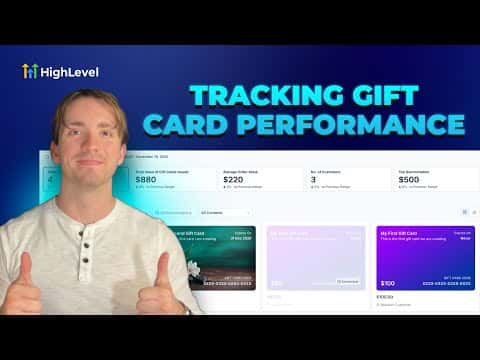
GoHighLevel's gift card analytics dashboard shows you how your gift cards are performing, including how many have been issued, redeemed, and how much value remains outstanding. You can filter by date range and check individual card details to spot trends and understand which offers are driving the most activity. This data helps you decide when to run a new gift card promotion or adjust your offer.

2026年6月2日に更新

4:11

概要. GoHighLevel tracks gift card activity inside the Payments section, giving you a view of issued cards, redemption rates, and remaining balances over time. The analytics help you measure the impact of gift card campaigns and make informed decisions about future promotions without needing a separate reporting tool.

よくある質問

Where do I find gift card analytics in GoHighLevel?

Go to Payments, then Gift Cards, and look for the analytics or reporting tab.

Can I see which specific gift cards have been redeemed?

Yes, the dashboard shows individual card status including issued, redeemed, and remaining balance.

Can I filter gift card data by date range?

Yes, you can apply date filters to see performance over a specific time period.

すでに作った人たちと、一緒に作ろう。

無料コミュニティに参加しましょう。毎週のライブ通話、最初に見るコース、あなたの言語のビルダーがいます。

Skoolに無料で参加