SaaS Mode & Agency

How to Configure Affiliate Payout Methods in GoHighLevel

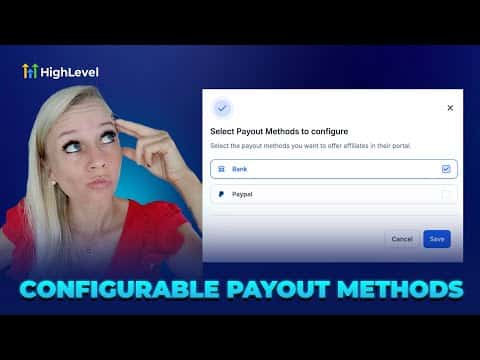
GoHighLevel's Affiliate Manager lets you control which payout methods, bank transfer or PayPal, your affiliates can see when they log in to the client portal. Turning a method off hides it from affiliates entirely. The setting is found under Affiliate Manager, then Settings, then Affiliate Portal Settings, and takes about a minute to update.

2 giugno 2026 aggiornato

1:15

Sommario. This tutorial shows how to enable or disable payout methods for affiliates inside GoHighLevel's Affiliate Manager. By toggling bank account and PayPal options in Affiliate Portal Settings, you control exactly what affiliates see when they visit the payout methods section of the client portal. Changes take effect immediately after saving.

Passi

  1. Open Affiliate Portal Settings

    Go to Marketing on the left, select Affiliate Manager, click Settings at the top, then choose Affiliate Portal Settings.

  2. Toggle payout methods on or off

    Turn on the main switch to enable payout method control. Check or uncheck Bank Account and PayPal to decide which options your affiliates can use. Unticking PayPal, for example, removes it from the affiliate's view.

  3. Save and verify

    Click Save. Log in to the client portal as an affiliate to confirm only the selected payout methods appear under Payout Methods.


Domande che le persone fanno

Where do affiliates see the payout methods you configure?

Under Payout Methods in the GoHighLevel client portal after logging in.

Can I offer both PayPal and bank transfer at the same time?

Yes, simply check both options in Affiliate Portal Settings and save.

Do changes to payout methods take effect immediately?

Yes, affiliates see the updated options as soon as they refresh the portal.

Costruiscilo con persone che lo hanno già fatto.

Unisciti alla community gratuita: chiamate live settimanali, un corso Inizia qui e builder nella tua lingua.

Iscriviti gratuitamente su Skool