Email

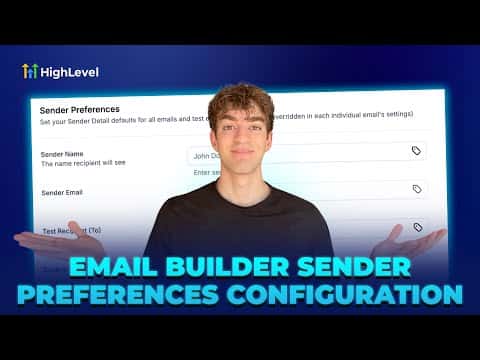
How to Set Up Sender Preferences in GoHighLevel Email Builder

Sender Preferences in GoHighLevel let you save a default From Name, From Email, Reply-To address, and test recipient so they populate automatically every time you create a new email or campaign. You configure them once inside Marketing > Emails > Settings and they apply to all new sends from that point forward, reducing setup time and preventing sender name typos.

2 giugno 2026 aggiornato

1:42

Sommario. The Sender Preferences setting in GoHighLevel's email builder stores your default sending identity so you never have to type it in again when creating a campaign. Once saved, new emails and test sends pre-fill with these details. You can still override them for specific campaigns. Note that sender preferences apply only to new campaigns and emails, not to existing drafts, and they do not affect transactional emails.

Domande che le persone fanno

Where exactly do I find Sender Preferences in GoHighLevel?

Marketing > Emails > Settings button (top right) > Sender Preferences section.

Will changing Sender Preferences update existing email drafts?

No, they only apply to new campaigns and emails created after saving.

Do Sender Preferences affect transactional emails sent by GoHighLevel?

No, transactional emails use separate settings and are not affected.

Costruiscilo con persone che lo hanno già fatto.

Unisciti alla community gratuita: chiamate live settimanali, un corso Inizia qui e builder nella tua lingua.

Iscriviti gratuitamente su Skool