Payments & Invoicing

How to Set Up Bank Account Payments in Your GoHighLevel Affiliate Manager

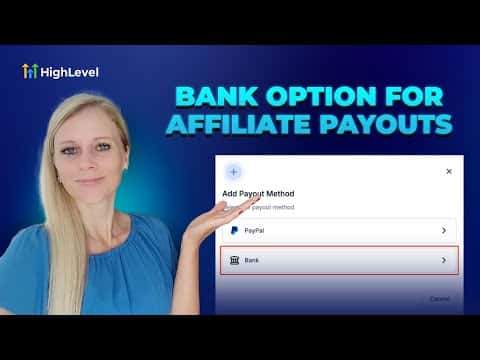
GoHighLevel affiliate payouts are not limited to PayPal. You can add a bank account as a second payout method, and your affiliates can set whichever option they prefer as their primary inside the client portal. When it is time to pay, you approve commissions, download a CSV, and upload it to your bank for a bulk transfer. You then mark the payment as paid manually inside GoHighLevel.

Atualizado em 2 de junho de 2026

3:03

Resumo. GoHighLevel lets you pay affiliates via bank account in addition to PayPal, giving each affiliate the ability to set their preferred payout method from the client portal. Processing works through a CSV export that you upload to your bank as a bulk payment. Once the transfer is complete, you mark the commissions as paid inside the affiliate manager to keep records accurate.
Perguntas frequentes

Where do I add a bank account as a payout method for an affiliate?

Go to Marketing, Affiliate Manager, select the affiliate, scroll to Payout Methods.

Can affiliates choose their own preferred payout method?

Yes. Affiliates set a primary payout method inside the client portal.

Does GoHighLevel transfer the bank funds automatically?

No. You download a CSV and upload it to your bank manually, then mark as paid.

Crie com quem já criou.

Entre na comunidade gratuita: lives semanais, um curso para começar e criadores no seu idioma.

Entre de graça no Skool