 11:05
11:05概要. This tutorial walks through creating a missed-call text-back automation in GoHighLevel using a Twilio phone number. A workflow trigger fires whenever an inbound call ends without being answered, and an SMS action immediately replies to the caller. The result is a hands-off system that recovers leads who would otherwise never hear back.
学べること
- How to use the Call Status trigger for inbound missed calls
- Which call statuses to include: No Answer, Busy, and Voicemail
- How to write an SMS message that opens a two-way conversation
- Why this automation is especially valuable for service businesses and tradespeople
- How to test the workflow with a real call
ステップ
Open Automation and create a new workflow
Navigate to Automation inside your sub-account and click to add a new workflow. Give it a name like 'Missed Call Text-Back' so it is easy to identify.
Add the Call Status trigger
Select Call Status as the trigger type. Set Call Direction to Inbound so outbound calls do not fire it.
Select the missed-call statuses
Under Call Status, check No Answer, Busy, and Voicemail. Selecting all three ensures the workflow fires regardless of how the call ended without being picked up.
Add an SMS action
Click the plus icon to add an action, select SMS, and write a short, friendly message. Something like 'Sorry I missed your call, how can I help?' works well because it opens a reply rather than closing the conversation.
Save and activate the workflow
Click Save and then toggle the workflow to Active. GoHighLevel will now watch every inbound call on your Twilio number and fire the SMS whenever one goes unanswered.
Test with a real call
Have someone call your Twilio number and let it ring to voicemail or hang up before you answer. Check the Conversations tab to confirm the contact was created and the SMS was delivered.
ヒント
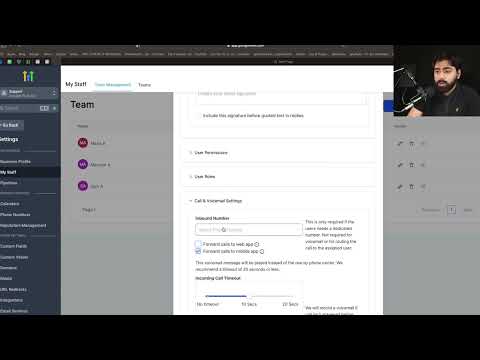
- Pair this with a call forwarding timeout of 10 to 15 seconds if you want the text to feel prompt rather than arriving after a long ring cycle.
- For client sub-accounts, this is one of the first automations to set up because almost every business type benefits from it immediately.